



Blog
How Do You Organise Cables in a 19 Inch Network Cabinet? A UK Cable Management Guide

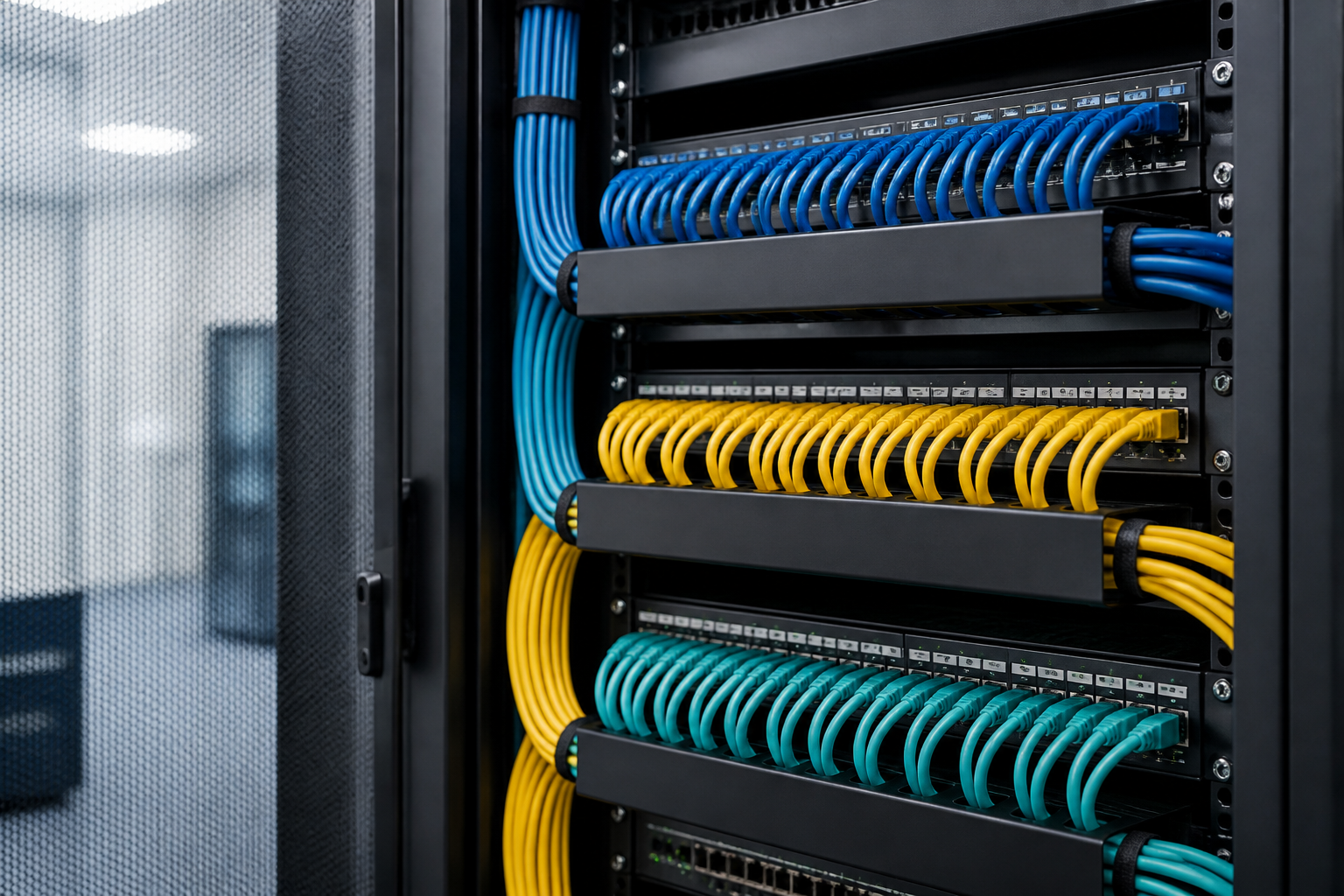
Direct answer: To organise cables in a 19 inch network cabinet, plan each cable route before installation, separate power from data where practical, use patch panels and cable managers, leave enough slack for servicing, and label both ends of every lead. A tidy cabinet should support airflow, access, safety and future changes—not simply look neat.
Good 19 inch network cabinet cable management starts with the cabinet layout. Decide where the patch panels, switches, routers, power distribution unit (PDU), shelves and other equipment will sit. Then choose cable lengths and routing accessories that keep connections short, identifiable and easy to trace. This approach works for a small office wall cabinet as well as a larger floor-standing rack.
Why cable management matters in a network cabinet
Uncontrolled cabling makes routine maintenance slower and increases the chance of disconnecting the wrong service. It can also obstruct equipment fans, restrict access to ports and place strain on plugs or patch-panel sockets. In a busy cabinet, an apparently minor problem—such as one cable crossing the front of several devices—can make testing and upgrades unnecessarily difficult.
Effective organisation provides four practical benefits:
- Clear identification: technicians can trace a cable from its source to its destination.
- Better airflow: cable bundles are kept away from vents and fan inlets where possible.
- Safer servicing: equipment can be removed without pulling or snagging adjacent cables.
- Room for change: spare ports and planned routes make future additions easier.
Plan the cabinet layout before pulling cables
Start with a simple rack elevation or cabinet diagram. Mark the rack units (U) occupied by each item and note whether connections are made at the front, rear or both. A common arrangement places patch panels near the top, switches directly below them and cable management panels between equipment groups. Heavier equipment is generally better supported lower in a floor-standing cabinet, subject to the manufacturer’s installation instructions and the cabinet’s load rating.
Group equipment by function
Keep related devices close together. For example, copper patch panels can sit near access switches, while fibre termination equipment can be positioned near fibre-capable switches. A rack-mounted PDU should be located so power leads can reach equipment without crossing the front of the cabinet.
Before installation, check:
- the usable depth of the cabinet and the depth of every device;
- front and rear clearance for plugs, bend radius and ventilation;
- the position of fixed cable-entry points;
- the required number of rack units, including space for cable managers;
- earthing, bonding and electrical requirements for the equipment.
Choose sensible cable lengths
Patch leads should normally be long enough to route neatly without tension, but not so long that they form large loops. Avoid relying on excessive spare cable inside the cabinet. If a connection needs future flexibility, create a controlled service loop at the appropriate side or rear area and secure it loosely.
19 inch network cabinet cable management: the essential accessories
The right accessories make a larger difference than simply adding more cable ties. Select products that match the cabinet width, cable type, bend requirements and expected density.
Horizontal cable management panels
Horizontal managers fit between rack-mounted devices and guide patch leads from one rack unit to another. Finger ducts, brush panels and loop managers are useful options. A brush panel can also help cables pass through an opening while reducing open gaps, although it should not block equipment ventilation.
Vertical cable managers
Vertical managers run along the sides of a cabinet or rack. They are particularly useful when a switch has many ports or when cables must travel between the front and rear. Choose a manager with sufficient capacity for the bundle without compressing it. A hinged or removable cover can make later maintenance easier.
Patch panels and cable support
Permanent horizontal cabling should terminate on a patch panel rather than being plugged directly into a switch wherever the installation design allows. This creates a clear demarcation between structured cabling and replaceable patch leads. Use rear cable support bars where supplied, and secure the cable sheath rather than placing pressure on individual conductors or connectors.
Hook-and-loop ties
Hook-and-loop straps are usually preferable to tight plastic cable ties for patch leads because they can be opened and adjusted. Never tighten a strap enough to deform the cable jacket. For permanent bundles, use suitable supports and follow the cable manufacturer’s guidance on spacing and bend radius.
Labels and identification tools
Label both ends of each cable. A useful label can show the patch-panel port and switch port, room or outlet reference, or another consistent identifier. Use labels that remain readable in the cabinet environment and place them where they can be viewed without disconnecting the lead.
How to route copper, fibre and power cables
Copper network cables
Route copper patch leads in organised groups, keeping them away from sharp edges and avoiding tight bends near plugs. Do not crush high-performance data cables under covers or against rack rails. When grouping different cable categories, avoid making bundles so dense that they become difficult to cool or inspect.
Fibre-optic cables
Fibre requires particular care. Follow the cable and connector manufacturer’s minimum bend radius, protect connectors from dust and avoid placing weight on fibre leads. Use appropriate fibre management trays, cassettes or guides where needed. Do not force a fibre cable into a copper cable manager if the route would create a sharp bend.
Mains and low-voltage data cables
Keep mains power leads and data cabling physically separated where practical, using different routing paths or sides of the cabinet. The exact arrangement should comply with the equipment instructions and applicable UK electrical and installation requirements. Avoid running power leads across the front of network equipment, and keep plugs accessible enough for safe isolation and maintenance.
Safety note: Network cabling work should not be treated as a substitute for electrical work. Do not modify mains wiring or install electrical equipment unless you are competent and authorised to do so. Follow site procedures and consult a qualified electrician when mains installation, bonding or isolation is involved.
A practical installation method
- Inventory the equipment: record each device, its rack position, port count, power requirements and cable connections.
- Install rack accessories first: fit cage nuts, shelves, patch panels, cable managers and support bars before filling the cabinet with leads.
- Mount equipment securely: check that every device is supported and that its vents are not obstructed.
- Connect permanent cabling: terminate structured cabling on the correct patch-panel ports and secure the rear cables without over-tightening.
- Add patch leads in groups: connect one service group at a time, routing each group through the intended horizontal or vertical manager.
- Separate and secure power: route power leads independently where practical and connect them to the designated PDU or supply arrangement.
- Label both ends: apply matching identifiers and update the cabinet diagram or port schedule.
- Test before closing the cabinet: verify link status, speed, fibre polarity where relevant, and the identity of each connection.
- Leave controlled spare capacity: reserve some ports, manager capacity and rack space for planned expansion.
How much slack should you leave?
Leave enough slack to move a device into a service position, replace a patch lead and inspect connectors without putting tension on the cable. However, avoid storing large coils at the front of the cabinet. Excess slack can cover labels, obstruct airflow and turn a simple change into a cable-tracing problem.
A better approach is to define a consistent service-loop location. For example, spare length may be retained at the rear of a patch panel or within a vertical manager, provided the bend radius is maintained. Use the same method throughout the cabinet so another technician can understand it quickly.
Common cable management mistakes to avoid
- Using one oversized bundle: mixed services become hard to identify and maintain.
- Over-tightening ties: pressure can damage cable jackets or affect performance.
- Blocking ventilation: cables should not cover fan inlets, outlets or equipment vents.
- Routing across equipment fronts: this hides ports and makes removal difficult.
- Leaving cables unlabelled: visual tracing is unreliable once the cabinet becomes busy.
- Ignoring rear access: a tidy front is not enough if the rear is inaccessible or unsupported.
- Mixing new and old routes randomly: inconsistent additions quickly create congestion.
- Using cables that are too short: tension at the connector can cause intermittent faults or make servicing unsafe.
Maintain the cabinet after installation
Cable management is an ongoing process. Whenever a connection changes, update the port schedule, remove abandoned patch leads and check that the remaining bundles are still supported. Do not simply add a new cable across an existing route because it appears quicker.
During planned maintenance, inspect for loose labels, damaged jackets, overloaded managers, blocked vents and cables that have been bent more tightly than intended. Keep a current diagram inside the cabinet door or in the site documentation system, while avoiding labels that expose unnecessary sensitive information.
Example layout for a small UK network cabinet
A compact cabinet might use the following arrangement, adapted to the equipment manufacturer’s requirements:
| Rack area | Typical equipment or purpose | Cable management approach |
|---|---|---|
| Upper section | Copper or fibre patch panels | Label ports clearly and support rear cabling |
| Middle section | Access switches | Use short patch leads and a horizontal manager |
| Side channels | Vertical cable routes | Separate groups and avoid overfilling |
| Lower section | PDU, heavier equipment or supported shelf | Keep power leads controlled and vents clear |
This is a starting point rather than a universal rule. Airflow direction, device depth, fibre routing and access requirements may require a different layout.
Key takeaways for better rack organisation
- Design the cabinet before installing cables.
- Use patch panels, horizontal managers and vertical managers to create predictable routes.
- Keep power and data cabling separated where practical.
- Respect bend radius, cable support and ventilation requirements.
- Label both ends of every connection and document the port mapping.
- Use controlled slack instead of large loose coils.
- Review the layout whenever equipment or connectivity changes.
Frequently asked questions
What is the best way to organise cables in a 19 inch network cabinet?
The best method is to plan the rack layout, terminate permanent cabling on patch panels, use horizontal and vertical cable managers, separate power from data where practical, label both ends and leave controlled service slack.
Should network cables and power cables be separated?
Yes, they should be separated where practical by using different routes or sides of the cabinet. Follow equipment instructions, site procedures and applicable UK electrical and installation requirements, especially where mains equipment is involved.
Are cable ties suitable for rack cable management?
Hook-and-loop straps are generally a flexible choice for patch leads because they can be adjusted without cutting the bundle. Any fastening method should support the cables without crushing, kinking or deforming them.
How should cables be labelled in a network cabinet?
Label both ends with a consistent identifier, such as the patch-panel port and switch port or the outlet reference. Keep the cabinet diagram and port schedule updated whenever a connection changes.
How much spare cable should be left in the cabinet?
Leave enough length to inspect connectors, replace a lead and move equipment into a service position, while avoiding large coils at the front. Store spare length in a planned location that maintains the cable’s bend radius and does not block airflow.
Does cable management improve network performance?
Good cable management does not automatically increase network speed, but it helps protect cable bend radius, reduce accidental disconnections, preserve airflow and make faults easier to locate. Those benefits support a more reliable and maintainable installation.
{“@context”:”https://schema.org”,”@type”:”FAQPage”,”mainEntity”:[{“@type”:”Question”,”name”:”What is the best way to organise cables in a 19 inch network cabinet?”,”acceptedAnswer”:{“@type”:”Answer”,”text”:”The best method is to plan the rack layout, terminate permanent cabling on patch panels, use horizontal and vertical cable managers, separate power from data where practical, label both ends and leave controlled service slack.”}},{“@type”:”Question”,”name”:”Should network cables and power cables be separated?”,”acceptedAnswer”:{“@type”:”Answer”,”text”:”Yes, they should be separated where practical by using different routes or sides of the cabinet. Follow equipment instructions, site procedures and applicable UK electrical and installation requirements, especially where mains equipment is involved.”}},{“@type”:”Question”,”name”:”Are cable ties suitable for rack cable management?”,”acceptedAnswer”:{“@type”:”Answer”,”text”:”Hook-and-loop straps are generally a flexible choice for patch leads because they can be adjusted without cutting the bundle. Any fastening method should support the cables without crushing, kinking or deforming them.”}},{“@type”:”Question”,”name”:”How should cables be labelled in a network cabinet?”,”acceptedAnswer”:{“@type”:”Answer”,”text”:”Label both ends with a consistent identifier, such as the patch-panel port and switch port or the outlet reference. Keep the cabinet diagram and port schedule updated whenever a connection changes.”}},{“@type”:”Question”,”name”:”How much spare cable should be left in the cabinet?”,”acceptedAnswer”:{“@type”:”Answer”,”text”:”Leave enough length to inspect connectors, replace a lead and move equipment into a service position, while avoiding large coils at the front. Store spare length in a planned location that maintains the cable’s bend radius and does not block airflow.”}},{“@type”:”Question”,”name”:”Does cable management improve network performance?”,”acceptedAnswer”:{“@type”:”Answer”,”text”:”Good cable management does not automatically increase network speed, but it helps protect cable bend radius, reduce accidental disconnections, preserve airflow and make faults easier to locate. Those benefits support a more reliable and maintainable installation.”}}]}
One thought on “How Do You Organise Cables in a 19 Inch Network Cabinet? A UK Cable Management Guide”
Comments are closed.