



Blog
What Size Network Cabinet Do I Need? A UK Guide to Height, Depth and Equipment Fit

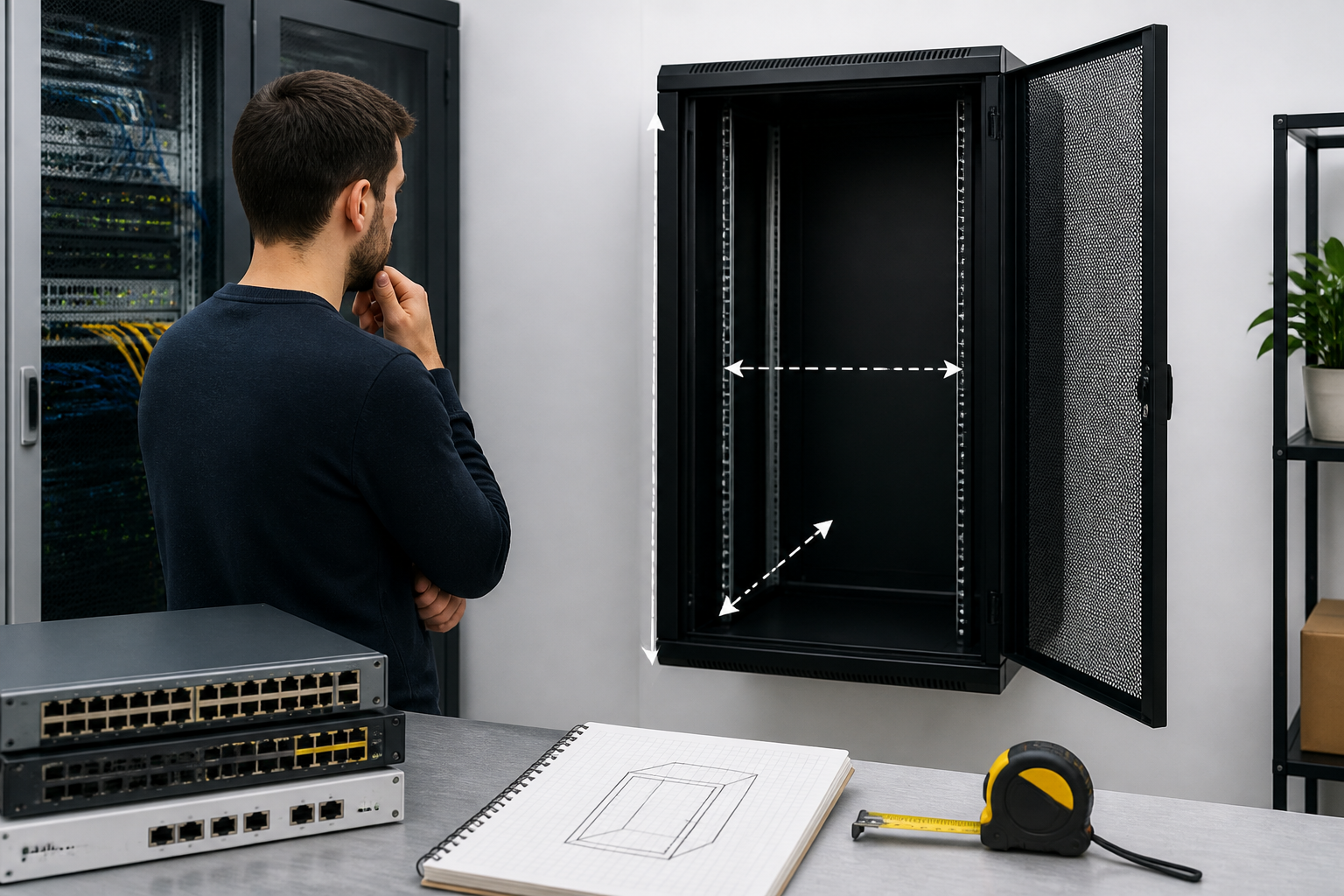
What size network cabinet do I need? Choose a cabinet that fits your equipment’s rack height and depth, leaves room for cable management and ventilation, and provides around 25–30% spare capacity for future additions. For a small home or office network, a 6U–12U wall-mounted cabinet may be sufficient; larger installations usually need a 22U–42U floor-standing cabinet.
What size network cabinet do I need?
The correct network cabinet size depends on four measurements: rack height, usable depth, equipment width and the space available in the room. You should also account for power distribution units, cable bend radius, ventilation, rails and future equipment.
Most professional network equipment is designed for a standard 19-inch rack. Cabinet height is measured in rack units, written as U. One rack unit is 44.45 mm high. A cabinet described as 12U therefore offers approximately 533 mm of vertical rack space, although the cabinet’s total external height will be greater.
Do not choose a cabinet based only on the number of devices you own today. A cabinet that is completely full can be difficult to wire, poorly ventilated and expensive to expand. Measure each item, allow for accessories and select the next practical size up.
How to calculate the cabinet height you need
Start by listing every item that will be installed inside the cabinet. Record its height in rack units, or convert its millimetre height into rack units where necessary. Include active equipment, passive equipment and supporting hardware.
- Network switches
- Routers, firewalls and gateways
- Patch panels and fibre enclosures
- Rack-mounted uninterruptible power supplies
- Power distribution units
- Rack shelves for non-rack-mount equipment
- Horizontal or vertical cable managers
- Blanking panels and ventilation accessories
Add the rack units together, then reserve spare space. A useful planning method is:
Required cabinet height = equipment height + accessories + expansion space
For example, a small installation might contain a 1U router, a 1U switch, a 1U patch panel, a 1U cable manager and a 1U shelf. The occupied height is 5U. A 6U cabinet would technically fit the equipment, but a 9U or 12U cabinet may be more practical because it leaves space for extra equipment and easier cable routing.
Typical network cabinet height choices
| Cabinet size | Typical use | Planning notes |
|---|---|---|
| 4U–6U | Very small networks, CCTV or compact home installations | Limited room for cable management and expansion |
| 9U–12U | Home offices and small businesses | Suitable for a switch, patch panel, router and accessories |
| 15U–18U | Growing small-office networks | Useful where additional patching, shelves or UPS equipment is expected |
| 22U–27U | Medium installations | Good compromise between capacity and floor space |
| 36U–42U | Large networks, server rooms and structured cabling systems | Provides substantial equipment capacity and easier expansion |
These are planning categories rather than fixed rules. A deep 12U cabinet may be more suitable than a shallow 18U model if the equipment requires greater depth, while a tall cabinet may be unnecessary if all devices are shallow wall-mount products.
How much network cabinet depth do you need?
Depth is one of the most commonly overlooked cabinet dimensions. A device may fit between the front and rear rails but still be unsuitable once power plugs, data cables and airflow clearances are added.
Measure the equipment from its front mounting point to its rearmost point. Then add room for:
- Power connectors and plugs
- Network and fibre cable bend radius
- Rear cable managers
- Airflow clearance
- Rear doors or covers
- Movement needed when installing and servicing equipment
Always compare the device measurement with the cabinet’s usable mounting depth, not its external depth. Manufacturers may quote the outside cabinet dimension, which includes doors, side panels and other construction elements. A cabinet advertised as 600 mm deep will not necessarily provide 600 mm between the mounting rails.
For shallow switches, patch panels and small routers, a cabinet with approximately 250–450 mm of usable depth may be suitable. Full-depth servers, large UPS units and some storage appliances can require substantially more. Check the installation guide for every deep device before ordering the cabinet.
Depth requirements by equipment type
| Equipment | Common depth consideration | What to check |
|---|---|---|
| Patch panel | Usually shallow | Rear cable termination space and bend radius |
| Network switch | Shallow to medium | Power socket position, airflow and cable clearance |
| Firewall or router | Shallow to medium | Mounting brackets and external power supply |
| Rack server | Medium to deep | Rail depth, rear clearance and door clearance |
| Rack UPS | Often deep and heavy | Rail support, ventilation, weight rating and battery access |
Cabinet width and the 19-inch rack standard
Most network cabinets in the UK are built for 19-inch rack equipment. This refers to the width between the equipment mounting surfaces, not the external width of the cabinet. The cabinet itself will be wider because it includes its frame, side panels and doors.
Before buying, confirm that each device is genuinely rack-mountable. Some compact switches and routers are designed to sit on a shelf rather than attach directly to rack rails. For these devices, you may need a rack shelf, which consumes additional rack height and may reduce ventilation.
Also check the mounting hardware. Some products use cage nuts and screws, while others use threaded rails or manufacturer-specific brackets. A compatible cabinet should have adjustable front and rear mounting rails so that equipment can be positioned correctly for its depth.
Wall-mounted or floor-standing network cabinet?
When a wall-mounted cabinet is suitable
A wall-mounted cabinet is often a good choice for a small office, home network, retail unit or remote communications area. It saves floor space and can keep patch panels, switches and routers organised at a convenient height.
Choose a wall cabinet only when the wall can safely support the cabinet, equipment and cabling. Masonry walls normally require suitable plugs and fixings; stud or partition walls may need reinforcement. Leave enough space around the cabinet for door movement, ventilation and maintenance. A wall cabinet can become difficult to service if it is mounted too high or placed tightly against another obstruction.
Wall cabinets are generally best for shallow equipment. They may not be appropriate for heavy servers, large UPS systems or equipment that needs extensive rear clearance.
When a floor-standing cabinet is better
A floor-standing cabinet is the safer option for larger networks, heavier equipment and installations that are expected to grow. It can accommodate deeper servers, rack UPS units, additional patch panels and more structured cable management.
Consider the cabinet’s static and dynamic load ratings, levelling feet, castors and anchoring options. Heavy equipment should be mounted low in the cabinet to improve stability. A floor cabinet also needs adequate room for the front and rear doors to open fully, especially when rear access is required for patching or maintenance.
Allow space for power, ventilation and cable management
A cabinet is not simply a metal box for holding equipment. Good installation planning must include power, heat and cable routing.
Power distribution
A rack-mounted PDU can make power connections neater and easier to manage. Check whether it mounts vertically or uses rack units horizontally. Confirm the plug type, socket orientation, cable length and total load requirements. If a UPS is required, allow for its size, weight and ventilation requirements before finalising the cabinet.
Ventilation and airflow
Active network devices generate heat. Do not block their ventilation openings with shelves, cables or blanking panels. Follow the equipment manufacturer’s airflow direction and keep adequate clearance around fans and vents. In a closed cabinet, perforated doors or roof-mounted fans may be useful, but they do not replace correct equipment spacing or room ventilation.
Cable management
Patch leads need space to bend without excessive pressure on connectors. Horizontal cable managers can consume 1U, while vertical managers use side space rather than rack height. Fibre cables often require particular attention because tight bends can damage performance or the cable itself.
Separate power and data cabling where practical, label both ends of cables and avoid filling the cabinet so tightly that equipment cannot be removed without disturbing neighbouring connections.
A simple network cabinet sizing example
Imagine a small UK office with the following equipment:
- 1U firewall
- 1U network switch
- 1U patch panel
- 1U horizontal cable manager
- 1U rack shelf for an internet provider device
- 1U power distribution unit
The current requirement is 6U. If the business expects another switch, additional patching or a small UPS, a 9U or 12U cabinet would provide a more sensible installation than a fully occupied 6U cabinet. The final choice would still depend on the depth and weight of the devices, the wall construction and the required power arrangement.
This example illustrates why counting devices alone is not enough. A shelf, PDU and cable manager can use as much rack space as a network device, while a UPS may determine the cabinet’s depth and load capacity.
Network cabinet buying checklist
- List every current and planned rack-mounted device.
- Record each device’s height, depth, width and weight.
- Confirm the cabinet uses standard 19-inch mounting rails where required.
- Add rack shelves, PDUs, cable managers and blanking panels to the height calculation.
- Allow approximately 25–30% spare rack capacity where future expansion is likely.
- Compare equipment depth with the cabinet’s usable mounting depth.
- Check front and rear airflow requirements.
- Confirm the wall or floor can support the loaded cabinet.
- Plan door clearance, rear access and cable entry routes.
- Check the cabinet’s load rating, rail adjustment and included fixings.
Common mistakes when choosing a network cabinet
- Choosing by external dimensions only: External height and depth do not equal usable rack space.
- Buying the smallest possible cabinet: A full cabinet is harder to cool, wire and expand.
- Ignoring non-rack equipment: A router or ISP modem may need a shelf and additional ventilation.
- Forgetting rear access: A cabinet placed against a wall can make installation and troubleshooting difficult.
- Underestimating cable space: Short or tightly bent patch leads can place stress on ports and connectors.
- Using a wall cabinet for heavy equipment: Check the wall structure and the cabinet’s load rating before installation.
- Not checking the UPS dimensions: UPS units can be deeper and heavier than switches or patch panels.
Key takeaways
- Choose cabinet height in rack units, based on all equipment and accessories.
- Use the cabinet’s usable depth rather than its external depth when checking fit.
- Most professional network equipment uses a 19-inch rack standard.
- Allow room for airflow, cable bends, power distribution and maintenance.
- Leave spare capacity for future growth instead of filling the cabinet immediately.
- Use wall-mounted cabinets for smaller, lighter installations and floor cabinets for deeper or heavier equipment.
Frequently asked questions
What size network cabinet do I need for a home network?
A 6U–12U wall-mounted cabinet is often suitable for a home network containing a patch panel, switch, router, small shelf and cable management. Check the depth carefully if you have a large switch, UPS or other non-standard equipment, and choose a larger cabinet if you expect the network to expand.
Is a 6U cabinet big enough for a switch and patch panel?
It may be. A switch and patch panel commonly occupy 2U in total, but you may also need a router shelf, cable manager, PDU and spare space. A 6U cabinet can work for a compact installation, while a 9U or 12U model usually provides more convenient expansion and cable management.
How deep should a network cabinet be?
The cabinet should have more usable depth than the deepest device, including its power connectors, cables and required airflow clearance. Shallow network cabinets may suit switches and patch panels, while servers and rack UPS units often require a deeper floor-standing cabinet.
Can I put a server in a wall-mounted network cabinet?
Only if the cabinet is specifically rated for the server’s depth and weight, and the wall and fixings can support the loaded enclosure. In many cases, a floor-standing cabinet is more appropriate because it offers stronger support, greater depth and better rear access.
What does 12U mean on a network cabinet?
12U means the cabinet provides twelve rack units of vertical mounting space. One rack unit is 44.45 mm high, so the nominal rack space is approximately 533 mm. The cabinet’s external height will be larger because it includes the frame, doors and other construction.
Should I buy a cabinet with spare rack space?
Yes. Spare capacity makes installation, cooling, troubleshooting and future upgrades easier. A practical target is around 25–30% unused rack space, although the ideal amount depends on the installation’s growth plans and budget.
{“@context”:”https://schema.org”,”@type”:”FAQPage”,”mainEntity”:[{“@type”:”Question”,”name”:”What size network cabinet do I need for a home network?”,”acceptedAnswer”:{“@type”:”Answer”,”text”:”A 6U–12U wall-mounted cabinet is often suitable for a home network containing a patch panel, switch, router, small shelf and cable management. Check the depth carefully if you have a large switch, UPS or other non-standard equipment, and choose a larger cabinet if you expect the network to expand.”}},{“@type”:”Question”,”name”:”Is a 6U cabinet big enough for a switch and patch panel?”,”acceptedAnswer”:{“@type”:”Answer”,”text”:”It may be. A switch and patch panel commonly occupy 2U in total, but you may also need a router shelf, cable manager, PDU and spare space. A 6U cabinet can work for a compact installation, while a 9U or 12U model usually provides more convenient expansion and cable management.”}},{“@type”:”Question”,”name”:”How deep should a network cabinet be?”,”acceptedAnswer”:{“@type”:”Answer”,”text”:”The cabinet should have more usable depth than the deepest device, including its power connectors, cables and required airflow clearance. Shallow network cabinets may suit switches and patch panels, while servers and rack UPS units often require a deeper floor-standing cabinet.”}},{“@type”:”Question”,”name”:”Can I put a server in a wall-mounted network cabinet?”,”acceptedAnswer”:{“@type”:”Answer”,”text”:”Only if the cabinet is specifically rated for the server’s depth and weight, and the wall and fixings can support the loaded enclosure. In many cases, a floor-standing cabinet is more appropriate because it offers stronger support, greater depth and better rear access.”}},{“@type”:”Question”,”name”:”What does 12U mean on a network cabinet?”,”acceptedAnswer”:{“@type”:”Answer”,”text”:”12U means the cabinet provides twelve rack units of vertical mounting space. One rack unit is 44.45 mm high, so the nominal rack space is approximately 533 mm. The cabinet’s external height will be larger because it includes the frame, doors and other construction.”}},{“@type”:”Question”,”name”:”Should I buy a cabinet with spare rack space?”,”acceptedAnswer”:{“@type”:”Answer”,”text”:”Yes. Spare capacity makes installation, cooling, troubleshooting and future upgrades easier. A practical target is around 25–30% unused rack space, although the ideal amount depends on the installation’s growth plans and budget.”}}]}
One thought on “What Size Network Cabinet Do I Need? A UK Guide to Height, Depth and Equipment Fit”
Comments are closed.