



Blog
Do Wall Mounted Network Cabinets Need Ventilation? A UK Guide to Cooling and Airflow

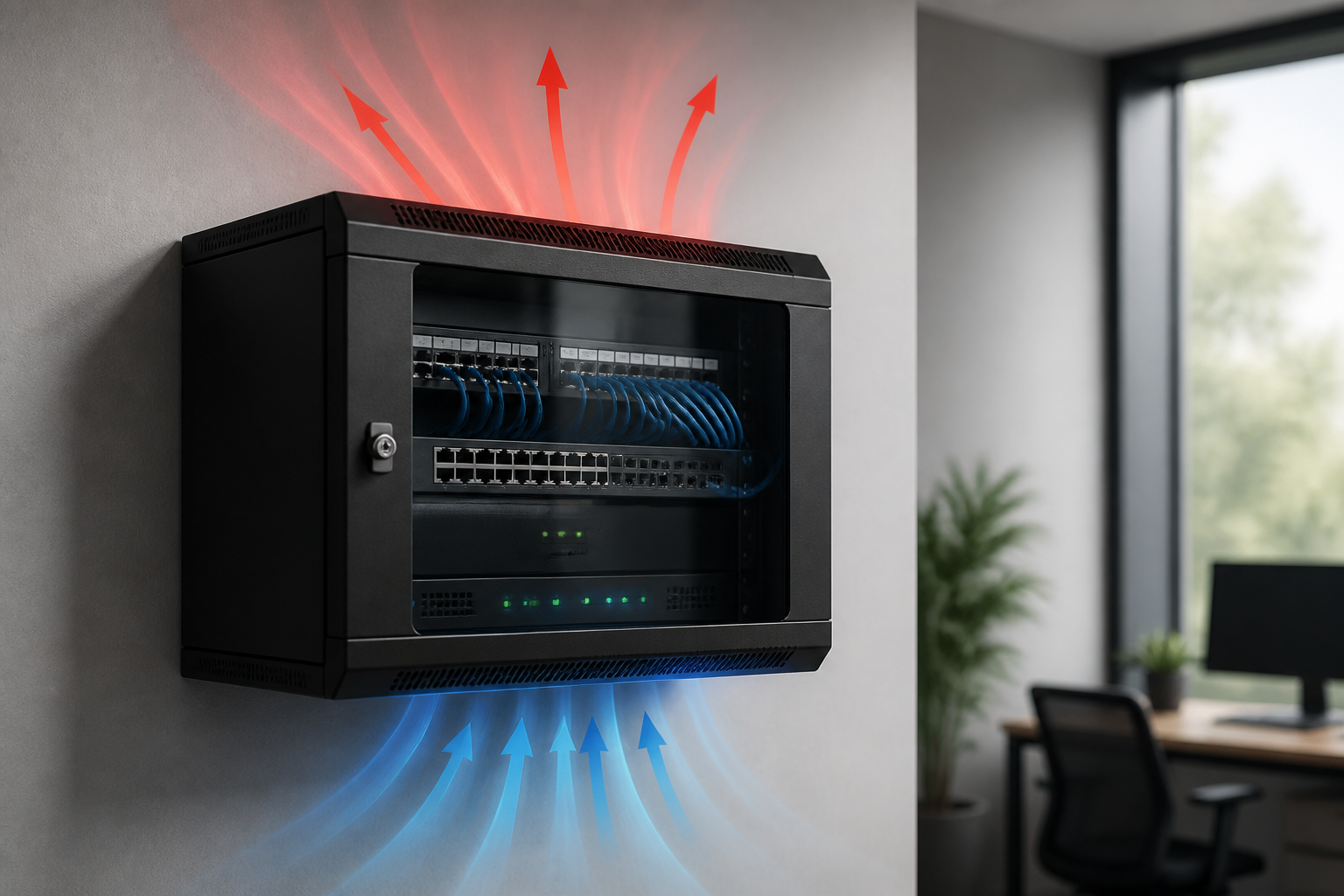
Yes, wall mounted network cabinets often need ventilation, but not every cabinet requires powered fans. A small cabinet containing a router, patch panel and low-power switch may remain cool with natural airflow. A cabinet holding PoE switches, UPS equipment, servers or other heat-producing devices usually needs a planned airflow path and, in many cases, fan-assisted cooling.
Good ventilation protects network equipment, improves reliability and helps prevent thermal shutdowns. The correct approach depends on the equipment’s heat output, cabinet size, room temperature, installation position and the manufacturer’s requirements. This UK guide explains how to assess the risk and choose a practical cooling arrangement.
Do wall mounted network cabinets need ventilation?
Wall mounted network cabinets need ventilation whenever the equipment inside generates more heat than the cabinet and surrounding room can safely dissipate. Network devices convert electrical power into heat. If that heat becomes trapped, the internal temperature can rise considerably above the room temperature.
A cabinet does not necessarily need a fan simply because it is enclosed. Ventilated doors, side vents and clearances around the cabinet may be sufficient for a lightly loaded installation. However, relying on an unventilated or tightly sealed box is risky when the cabinet contains high-wattage equipment or is installed in a warm, poorly ventilated location.
The decision should be based on heat load rather than cabinet appearance. A compact wall cabinet with a 48-port PoE switch may need more cooling than a larger cabinet containing only passive patch panels and a small router.
Why network cabinet ventilation matters
Excessive heat can affect network equipment in several ways:
- Reduced service life: Components, power supplies and batteries generally experience more stress at elevated temperatures.
- Thermal throttling or shutdown: Some switches, routers and servers reduce performance or switch off to protect themselves.
- Unreliable connections: Overheating can contribute to intermittent faults that are difficult to diagnose.
- Fan noise and dust: Equipment fans may run faster and draw more dust through the cabinet.
- PoE heat accumulation: Power over Ethernet switches can produce significant heat, particularly when many ports deliver power.
Ventilation is also a cable-management issue. A crowded cabinet can block equipment air intakes and exhausts, causing local hot spots even when the room itself feels comfortable.
When passive ventilation may be enough
Passive ventilation uses openings, convection and the natural movement of air rather than powered fans. It can be suitable for a low-density wall mounted cabinet where:
- the cabinet contains mainly patch panels, cable management and low-power networking equipment;
- the total equipment heat output is modest;
- the cabinet has vented doors, roof or side panels;
- there is clearance around the vents and equipment air paths;
- the room remains within the equipment manufacturer’s operating temperature range; and
- the cabinet is not exposed to direct sunlight, a radiator or another heat source.
Passive cooling works because warm air rises and cooler room air replaces it. For this to happen, the cabinet needs a lower inlet and a higher outlet. Vents that are covered by a wall, bundled cables or a solid mounting surface will not provide effective airflow.
Even in a passively ventilated cabinet, check the installation after it has been operating under normal load. A temperature reading near the top of the cabinet can reveal heat build-up that is not obvious from outside.
When a wall cabinet needs fan-assisted cooling
Powered ventilation is more appropriate when passive airflow cannot remove the heat generated by the installed equipment. Consider fan-assisted cooling if:
- the cabinet contains one or more PoE switches operating close to their power budget;
- servers, storage devices, UPS systems or other high-power equipment are installed;
- the cabinet is nearly full or has restricted vents;
- the room is warm, poorly ventilated or subject to seasonal temperature increases;
- equipment fans run continuously at high speed;
- the cabinet feels noticeably warm at the top or around exhaust vents; or
- the manufacturer specifies a maximum operating temperature that may be exceeded.
A fan kit should not simply recirculate hot air inside the cabinet. It should create a deliberate airflow path: cool air enters at the lower part, passes over the equipment and warm air exits at the upper part. Depending on the cabinet design, roof-mounted exhaust fans are commonly used, while filtered intake fans can be useful where dust control is important.
How to estimate network cabinet cooling requirements
The simplest method is to estimate the equipment’s electrical power consumption. Nearly all of the power consumed by networking equipment eventually becomes heat within the room. Add the typical or maximum power figures for each device, rather than looking only at the number of rack units.
| Equipment or factor | What to check |
|---|---|
| Network switches | Input power, PoE budget and expected port load |
| Routers and firewalls | Rated consumption and any optional modules |
| Servers and storage | Maximum or normal operating power, not just standby power |
| UPS equipment | Heat produced during normal operation and battery charging |
| Room conditions | Typical summer temperature, sunlight and nearby heat sources |
| Cabinet layout | Blocked vents, blanking panels, cable density and equipment spacing |
For a more technical assessment, cooling capacity can be estimated from the heat load and the allowable temperature rise above room temperature. A commonly used approximation is:
Required airflow in cubic metres per hour ≈ 3 × heat load in watts ÷ allowable temperature rise in °C.
For example, if equipment produces 300 W of heat and a 10°C temperature rise is acceptable, the approximate airflow is 90 cubic metres per hour. This is a planning estimate, not a substitute for the cabinet or equipment manufacturer’s data. Fan performance is also affected by filters, grilles and air resistance, so the stated free-air fan rating may be higher than the airflow achieved in service.
Where the heat load is high, a specialist designer should confirm the calculation. Do not assume that a small fan will cool a cabinet effectively if the cabinet has poor air paths or a large internal obstruction.
Choosing the right ventilation arrangement
Vented doors and panels
Perforated front and rear doors allow air to enter and leave the enclosure. They are useful for passive cooling and can support fan-assisted airflow. Make sure the perforations are not covered by labels, insulation or equipment that sits directly against the door.
Roof-mounted exhaust fans
Roof fan units remove rising warm air from the upper part of the cabinet. They are often suitable for wall cabinets because they support the natural direction of convection. The cabinet still needs a low-level air inlet; otherwise the fan may struggle to draw sufficient replacement air.
Filtered intake fans
Intake fans push room air into the cabinet. A filter can reduce dust entering the equipment, although it must be accessible for cleaning. A clogged filter can reduce airflow and create a new overheating risk, so maintenance access matters.
Thermostatic control
A thermostatic fan controller switches fans on when the internal temperature reaches a chosen threshold. This can reduce noise, energy use and unnecessary dust movement compared with fans that run continuously. Use a sensor positioned where it reflects the cabinet’s warmest general air, not directly in a strong exhaust stream.
Best practices for network cabinet airflow
- Follow the equipment airflow direction. Check whether each device draws air from front to rear, side to side or another direction. Do not install a device against the intended airflow.
- Keep intake and exhaust paths clear. Avoid placing cable bundles across vents or pressing equipment against cabinet panels.
- Use sensible rack positioning. Place higher-heat equipment where it can receive unobstructed air and where its exhaust will not feed directly into another device.
- Use cable management properly. Route cables neatly and avoid dense loops that block rear airflow.
- Fit blanking panels where appropriate. In a cabinet with front-to-back cooling, blanking panels can reduce hot-air recirculation through unused rack spaces.
- Provide wall clearance. Follow the cabinet instructions and leave enough space for doors, vents, cables and maintenance.
- Keep the cabinet clean. Dust on filters, fans and equipment heat sinks reduces cooling performance.
- Monitor temperature. A simple sensor or network-connected environmental monitor can provide an alert before equipment reaches a critical temperature.
Where should a wall mounted network cabinet be installed?
Location has a major effect on cooling. Install the cabinet in a dry, reasonably cool area with adequate room ventilation. Avoid unconditioned loft spaces, boiler rooms, cupboards with no air exchange and locations exposed to direct sun. A cabinet placed in a small storage cupboard may heat the cupboard itself, causing the cabinet to draw in increasingly warm air.
Do not mount the cabinet immediately above a radiator or near heating and ventilation outlets that introduce hot air. Also consider access: fans, filters, patch leads and equipment must be serviceable without creating a safety hazard.
Wall mounting must be structurally suitable for the fully loaded cabinet. A cabinet that is overloaded or poorly supported can become unsafe, especially when batteries or heavy switches are fitted. Use the manufacturer’s fixing guidance and obtain competent installation support where necessary.
Ventilation, noise and dust considerations
Fans solve a heat problem but introduce noise and maintenance requirements. This matters in offices, reception areas, homes and meeting rooms. Select fans designed for the cabinet, check their sound rating and use thermostatic control where suitable.
More airflow is not always better if it brings excessive dust into the cabinet. In dusty environments, filtered intake ventilation may be preferable to unfiltered exhaust-only cooling. Filters need inspection and cleaning at a planned interval. Never block vents in an attempt to reduce noise without checking the resulting temperature.
How to check whether a cabinet is overheating
Begin with the equipment documentation. Confirm the permitted operating temperature and the recommended clearance around each device. Then inspect the cabinet during the busiest expected operating period, such as when PoE devices are heavily loaded.
- Check for warning messages, thermal alarms or unusually loud equipment fans.
- Measure the air temperature near the top and around equipment intakes.
- Look for blocked vents, hot cable bundles or warm air being drawn back into an intake.
- Compare the cabinet temperature with the surrounding room temperature.
- Review the installation again during warmer weather, not only on a cool day.
Do not rely on touching the cabinet as a precise test. The metal may feel cool while the air around a switch is too warm, or it may feel warm without the equipment exceeding its rated limits. A properly placed temperature sensor gives more useful evidence.
Common mistakes to avoid
- Sealing the cabinet completely: This can trap heat even when the room is cool.
- Adding a fan without an inlet: A fan cannot deliver its rated airflow if replacement air cannot enter.
- Installing fans backwards: Confirm the airflow arrow before fitting the unit.
- Ignoring PoE demand: The number of connected devices and the power delivered both affect heat output.
- Using a domestic desk fan as a permanent solution: It may not be safe, reliable or suitable for cabinet mounting.
- Putting a UPS battery in an unsuitable position: Follow the UPS manufacturer’s ventilation and clearance instructions.
- Forgetting maintenance: A dirty filter or failed fan can leave a cabinet with less cooling than expected.
Key takeaways
- Low-power wall cabinets may work with natural convection if they have clear vents and suitable room conditions.
- PoE switches, servers, UPS systems and dense installations commonly need stronger airflow or fan assistance.
- Plan a complete path from cool lower-level intake to warm upper-level exhaust.
- Calculate cooling from equipment power and allowable temperature rise, then allow for airflow resistance.
- Follow manufacturer instructions, monitor temperature and maintain fans and filters.
Frequently asked questions
Can a wall mounted network cabinet be completely enclosed?
It can be enclosed only when the equipment and cabinet are designed for that arrangement and the heat load remains within safe limits. For most active networking installations, some form of ventilation and a clear airflow path is the safer choice.
Do all wall mounted network cabinets need fans?
No. A lightly loaded cabinet with passive vents may not need powered fans. Fans become more likely as equipment power, PoE usage, room temperature and cabinet density increase.
Where should the cabinet fan be fitted?
In many installations, warm air is exhausted from the top or roof of the cabinet, while cooler air enters through lower vents. The exact arrangement should match the equipment airflow direction and the cabinet manufacturer’s instructions.
How hot is too hot for network equipment?
The answer depends on the device. Check each manufacturer’s specified operating range rather than applying one universal temperature. The cabinet should be assessed under realistic maximum load and warm room conditions.
Can ventilation reduce network cabinet noise?
Good airflow can help equipment fans run more slowly, but added cabinet fans may create noise. Thermostatic control, efficient fans and regular filter cleaning can help balance cooling and acoustic comfort.
Does a wall mounted network cabinet need ventilation in a cupboard?
Usually, extra care is needed. A cupboard can trap the heat discharged by the cabinet, so the surrounding space may require ventilation as well. Measure temperatures in the cupboard and follow the equipment and cabinet manufacturers’ requirements.
{“@context”:”https://schema.org”,”@type”:”FAQPage”,”mainEntity”:[{“@type”:”Question”,”name”:”Can a wall mounted network cabinet be completely enclosed?”,”acceptedAnswer”:{“@type”:”Answer”,”text”:”It can be enclosed only when the equipment and cabinet are designed for that arrangement and the heat load remains within safe limits. For most active networking installations, some form of ventilation and a clear airflow path is the safer choice.”}},{“@type”:”Question”,”name”:”Do all wall mounted network cabinets need fans?”,”acceptedAnswer”:{“@type”:”Answer”,”text”:”No. A lightly loaded cabinet with passive vents may not need powered fans. Fans become more likely as equipment power, PoE usage, room temperature and cabinet density increase.”}},{“@type”:”Question”,”name”:”Where should the cabinet fan be fitted?”,”acceptedAnswer”:{“@type”:”Answer”,”text”:”In many installations, warm air is exhausted from the top or roof of the cabinet, while cooler air enters through lower vents. The exact arrangement should match the equipment airflow direction and the cabinet manufacturer’s instructions.”}},{“@type”:”Question”,”name”:”How hot is too hot for network equipment?”,”acceptedAnswer”:{“@type”:”Answer”,”text”:”The answer depends on the device. Check each manufacturer’s specified operating range rather than applying one universal temperature. The cabinet should be assessed under realistic maximum load and warm room conditions.”}},{“@type”:”Question”,”name”:”Can ventilation reduce network cabinet noise?”,”acceptedAnswer”:{“@type”:”Answer”,”text”:”Good airflow can help equipment fans run more slowly, but added cabinet fans may create noise. Thermostatic control, efficient fans and regular filter cleaning can help balance cooling and acoustic comfort.”}},{“@type”:”Question”,”name”:”Does a wall mounted network cabinet need ventilation in a cupboard?”,”acceptedAnswer”:{“@type”:”Answer”,”text”:”Usually, extra care is needed. A cupboard can trap the heat discharged by the cabinet, so the surrounding space may require ventilation as well. Measure temperatures in the cupboard and follow the equipment and cabinet manufacturers’ requirements.”}}]}