



Blog
How to Install a Floor Standing Server Cabinet in the UK: Clearances, Anchoring and Safety

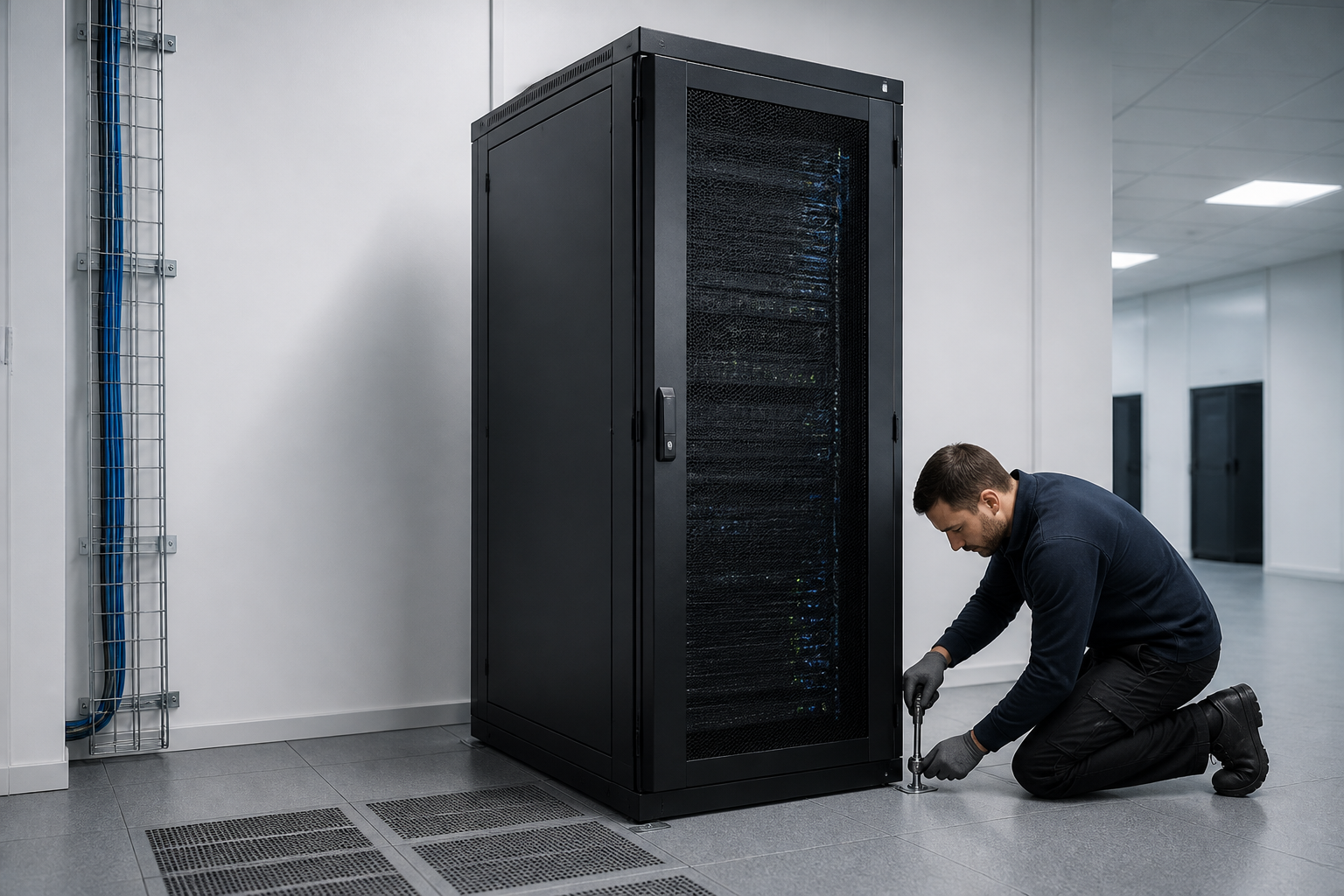
Floor standing server cabinet installation should begin with a site survey, a suitable load-bearing floor, adequate front and rear working clearance, secure anchoring, and a safe electrical and cable-management plan. In the UK, check the cabinet manufacturer’s instructions and involve a competent electrician or qualified installer where fixed electrical work, fire stopping or structural work is required.
A floor-standing cabinet protects servers, switches, patch panels and power equipment, but the enclosure is only effective when it is correctly positioned and secured. Poor installation can restrict airflow, obstruct maintenance, overload the floor or create avoidable electrical and manual-handling risks.
Before starting the installation
Do not move the cabinet into position until the room, route and equipment have been checked. A short planning exercise can prevent expensive rework after heavy servers and patch leads are installed.
Confirm the cabinet specification
Record the cabinet’s external height, width and depth, usable rack units, maximum static and dynamic load, door swing, removable panels and required ventilation accessories. Check whether the stated load rating applies to evenly distributed equipment or includes accessories such as shelves, cable managers, PDUs and batteries.
Also confirm the rack standard. Most IT equipment uses 19-inch mounting rails, but rail depth, cage nuts, threaded holes, vertical mounting positions and equipment weight can vary. A cabinet that physically fits in a room may still be unsuitable if its rails cannot support the intended equipment.
Survey the room and access route
Measure doorways, corridors, lift entrances, ramps and turning areas. Include the packaged dimensions, not only the cabinet dimensions. Check the floor for level, damage, moisture and load capacity, and identify raised-floor panels, underfloor services or concealed pipes before drilling.
Choose a location away from direct water exposure, excessive dust, heat sources and accidental impact. Keep the cabinet clear of escape routes, fire exits, electrical switchboards and access panels. If the installation is in a plant room, warehouse or shared office, consider whether the environment needs additional protection from dust, vibration or unauthorised access.
How to plan floor standing server cabinet installation
The cabinet should support a predictable airflow pattern, safe maintenance and orderly cable entry. Make a simple plan showing the cabinet footprint, front and rear access zones, cable routes, power supplies and any nearby cooling equipment.
Allow practical clearances
There is no single clearance that suits every cabinet or room. Always follow the manufacturer’s instructions, equipment requirements and site risk assessment. As a practical planning approach:
- Leave enough space in front of the cabinet to open the door fully, install equipment and remove servers safely.
- Provide a usable rear service area for power connections, network patching, fan replacement and removal of rear panels.
- Keep cabinet ventilation openings away from walls, stored materials and other heat-producing equipment.
- Allow room to manoeuvre long servers and rails without striking doors, walls or adjacent cabinets.
- Maintain access to the building’s electrical isolation points, fire equipment and escape routes.
Many installations work best with a clear front aisle and a separate rear service aisle. In compact rooms, do not reduce access simply to fit another cabinet. A smaller cabinet, wall-mounted accessory or revised room layout may be safer than creating a narrow maintenance gap.
Plan hot and cold airflow
Most rack equipment draws cool air through the front and exhausts warm air at the rear. Position cabinets so that front air intakes do not face the hot exhaust of another cabinet. Use blanking panels in unused rack spaces, fit brush strips or grommets around cable openings, and avoid blocking fan trays or cabinet ventilation panels.
Check the room’s cooling capacity against the equipment heat output. If the cabinet will contain servers, storage arrays or high-density switches, a general office air-conditioning system may not provide adequate continuous cooling. Ask a mechanical or facilities specialist to assess heat removal where the load is significant.
Floor condition, levelling and anchoring
Anchoring is a central part of safe floor standing server cabinet installation. A fully loaded cabinet has a high centre of gravity, especially when heavy equipment is mounted near the top. Levelling feet, castors and anti-tip features must be used in the way specified by the manufacturer.
Use the correct base arrangement
Move the cabinet using suitable handling equipment and enough people for its weight and dimensions. Remove packaging only when it is safe to do so, and do not lift a cabinet by doors, side panels or removable trim. Lock or remove castors before loading equipment if the instructions require it.
Place the cabinet on a sound, level surface. Adjust levelling feet so the frame is stable and doors operate correctly. Do not use loose timber, improvised wedges or unsecured packing pieces as permanent supports.
Anchor the cabinet where required
Use the manufacturer’s fixing points and an anchor type suitable for the floor construction. Concrete, solid masonry, raised access floors and suspended floors require different solutions. Before drilling, verify the location of concealed electrical, plumbing and data services.
On a raised floor, do not assume that the removable panel alone can resist overturning forces. The cabinet may need a manufacturer-approved plinth, reinforcement frame or fixing system connected to the structural floor. Obtain approval from the building or facilities owner before modifying a raised-floor system.
Once fixed, check that the cabinet cannot rock, slide or tip when doors and heavy equipment are extended. If multiple cabinets are joined, use the correct baying kit rather than relying on side panels or cable ties to keep them aligned.
Electrical supply and earthing
Plan power before installing servers. Decide whether the cabinet will use one or more rack power distribution units, independent power feeds, an uninterruptible power supply or a combination of these. Keep normal and resilient supplies clearly identified, and do not overload a PDU, socket outlet or circuit.
Fixed wiring, new circuits, socket installation and alterations to protective bonding should be completed and tested by a competent electrical professional in accordance with applicable UK requirements. Use correctly rated equipment and follow the cabinet, PDU, UPS and server manufacturers’ instructions.
- Provide a reliable protective earth and verify bonding where the cabinet design requires it.
- Route power cables separately from data cables where practical to reduce interference and simplify maintenance.
- Label both ends of power leads and identify the source circuit or PDU.
- Keep plugs, connectors and PDUs accessible for inspection and replacement.
- Do not daisy-chain extension leads or PDUs unless the manufacturer explicitly permits the arrangement.
- Leave enough slack for equipment removal without placing strain on connectors.
Do not treat a UPS as a substitute for correct circuit design. A UPS adds weight, heat and maintenance requirements, and its battery condition, bypass arrangement and shutdown procedure should be documented.
Mounting equipment and managing cables
Install the heaviest equipment in the lowest suitable rack positions. This improves stability and makes lifting safer. Use shelves or support rails for equipment that is not designed to be attached directly to the front mounting posts.
- Check the equipment dimensions, rail compatibility and required rack units.
- Fit cage nuts, threaded hardware or manufacturer-approved rails in the correct positions.
- Install heavy items with assistance and support the rear of long equipment.
- Secure each device using the correct screws without overtightening.
- Fit blanking panels to unused spaces and keep ventilation paths clear.
- Route cables through vertical and horizontal managers, avoiding sharp bends and excessive tension.
- Label network, power and fibre connections before closing the doors.
Observe the bend-radius requirements for copper and fibre cables. Avoid crushing cable bundles with doors, side panels or hook-and-loop straps. Leave service loops only where they can be supported without blocking airflow. Separate fibre from heavy power cables and protect fibre connectors from dust and excessive pulling force.
Safety checks during commissioning
Before energising equipment, inspect the installation from the floor up. Confirm that the cabinet is level, anchored, bonded where required and free from packaging materials. Check that doors, locks, panels, fan units and cable entries operate without obstruction.
Verify that equipment ratings match the supply, protective devices and PDU capacity. Confirm that unused outlets are protected, cable labels are readable and no lead is trapped beneath the cabinet. Test network links methodically rather than connecting unidentified cables at random.
After power-up, monitor temperature, fan operation, alarms and UPS status. Listen for unusual vibration or contact between fans and panels. Record the initial condition, equipment positions, circuit identifiers, network connections and any alarm thresholds.
Fire, access and housekeeping
Maintain fire compartmentation when cables pass through walls, floors or fire-rated barriers. Use an appropriate tested fire-stopping system and obtain advice from a competent fire-protection professional when the barrier or building use makes this necessary. Do not fill cable openings with ordinary foam or combustible materials.
Keep the cabinet locked when unauthorised access is possible, but ensure authorised staff can reach isolation points and emergency controls. Store no boxes, tools or spare cable inside the cabinet unless the enclosure is designed for that purpose. Establish a cleaning schedule for filters, ventilation openings and the surrounding floor.
Installation checklist
| Stage | Check |
|---|---|
| Survey | Route, doors, floor condition, services, heat sources and access zones are confirmed. |
| Cabinet selection | Rack units, depth, load rating, ventilation and PDU compatibility suit the equipment. |
| Positioning | Front and rear service space, airflow direction and escape-route access are maintained. |
| Stability | Levelling feet, castors, anti-tip features and structural anchors are installed correctly. |
| Power | Circuits, PDUs, UPS equipment, earthing and cable identification are checked by competent personnel. |
| Equipment | Heavy devices are low, rails are supported, blanking panels are fitted and cables are labelled. |
| Commissioning | Temperature, alarms, links, doors, locks and documentation are verified after energisation. |
Common mistakes to avoid
- Installing too close to a wall: this restricts rear maintenance and can trap warm exhaust air.
- Ignoring floor construction: a fixing suitable for concrete may be inappropriate for a raised or suspended floor.
- Loading the top first: this raises the centre of gravity and increases handling and stability risks.
- Blocking airflow with cables: poorly routed bundles can obstruct fans and equipment inlets.
- Using improvised power arrangements: extension-lead chains and overloaded PDUs create avoidable hazards.
- Failing to document changes: unidentified cables and undocumented circuits make future maintenance slower and less safe.
Key takeaways
- Survey the route, floor and room before delivery.
- Follow the cabinet manufacturer’s clearance, load and anchoring instructions.
- Keep front intake air separate from rear exhaust air.
- Anchor or reinforce the cabinet according to the floor construction.
- Use competent professionals for fixed electrical, structural and fire-stopping work.
- Install heavy equipment low, manage cables carefully and document every connection.
Frequently asked questions
Does a floor standing server cabinet need to be anchored?
It often should be, particularly when it is tall, heavily loaded, positioned in a busy area or exposed to movement or seismic risk. Follow the manufacturer’s instructions and select fixings for the actual floor construction. Levelling feet alone may not prevent tipping.
How much clearance is needed around a server cabinet?
The required clearance depends on the cabinet, equipment, doors, cooling design and maintenance method. Provide enough front and rear space to remove equipment and service cables, and never block ventilation openings or escape routes. Use the manufacturer’s minimum dimensions as the starting point.
Can a server cabinet be installed on a raised floor?
Yes, but the raised-floor system must be assessed for the cabinet’s static and handling loads. The installation may require a structural support frame, approved plinth or fixings connected to the floor beneath the panels. Obtain approval before drilling or altering the floor.
Should servers be installed at the top or bottom of the cabinet?
Install the heaviest equipment in the lowest suitable positions and keep lighter equipment higher. This lowers the centre of gravity, improves stability and makes lifting safer. Always maintain the airflow and rail requirements of each device.
Who should complete the electrical work?
A competent electrical professional should complete fixed wiring, new circuits, socket work, protective bonding alterations and required testing. IT staff can usually connect equipment only when the supply arrangement is already safe, suitable and approved.
What should be documented after installation?
Record the cabinet location, anchor details, equipment rack positions, PDU and circuit identifiers, cable labels, network connections, UPS information, environmental readings and maintenance requirements. Keep the documents accessible to authorised support staff.
{“@context”:”https://schema.org”,”@type”:”FAQPage”,”mainEntity”:[{“@type”:”Question”,”name”:”Does a floor standing server cabinet need to be anchored?”,”acceptedAnswer”:{“@type”:”Answer”,”text”:”It often should be, particularly when it is tall, heavily loaded, positioned in a busy area or exposed to movement or seismic risk. Follow the manufacturer’s instructions and select fixings for the actual floor construction. Levelling feet alone may not prevent tipping.”}},{“@type”:”Question”,”name”:”How much clearance is needed around a server cabinet?”,”acceptedAnswer”:{“@type”:”Answer”,”text”:”The required clearance depends on the cabinet, equipment, doors, cooling design and maintenance method. Provide enough front and rear space to remove equipment and service cables, and never block ventilation openings or escape routes. Use the manufacturer’s minimum dimensions as the starting point.”}},{“@type”:”Question”,”name”:”Can a server cabinet be installed on a raised floor?”,”acceptedAnswer”:{“@type”:”Answer”,”text”:”Yes, but the raised-floor system must be assessed for the cabinet’s static and handling loads. The installation may require a structural support frame, approved plinth or fixings connected to the floor beneath the panels. Obtain approval before drilling or altering the floor.”}},{“@type”:”Question”,”name”:”Should servers be installed at the top or bottom of the cabinet?”,”acceptedAnswer”:{“@type”:”Answer”,”text”:”Install the heaviest equipment in the lowest suitable positions and keep lighter equipment higher. This lowers the centre of gravity, improves stability and makes lifting safer. Always maintain the airflow and rail requirements of each device.”}},{“@type”:”Question”,”name”:”Who should complete the electrical work?”,”acceptedAnswer”:{“@type”:”Answer”,”text”:”A competent electrical professional should complete fixed wiring, new circuits, socket work, protective bonding alterations and required testing. IT staff can usually connect equipment only when the supply arrangement is already safe, suitable and approved.”}},{“@type”:”Question”,”name”:”What should be documented after installation?”,”acceptedAnswer”:{“@type”:”Answer”,”text”:”Record the cabinet location, anchor details, equipment rack positions, PDU and circuit identifiers, cable labels, network connections, UPS information, environmental readings and maintenance requirements. Keep the documents accessible to authorised support staff.”}}]}