



Blog
What Is a 42U Server Rack? Height, Usable Space and European Installation Requirements

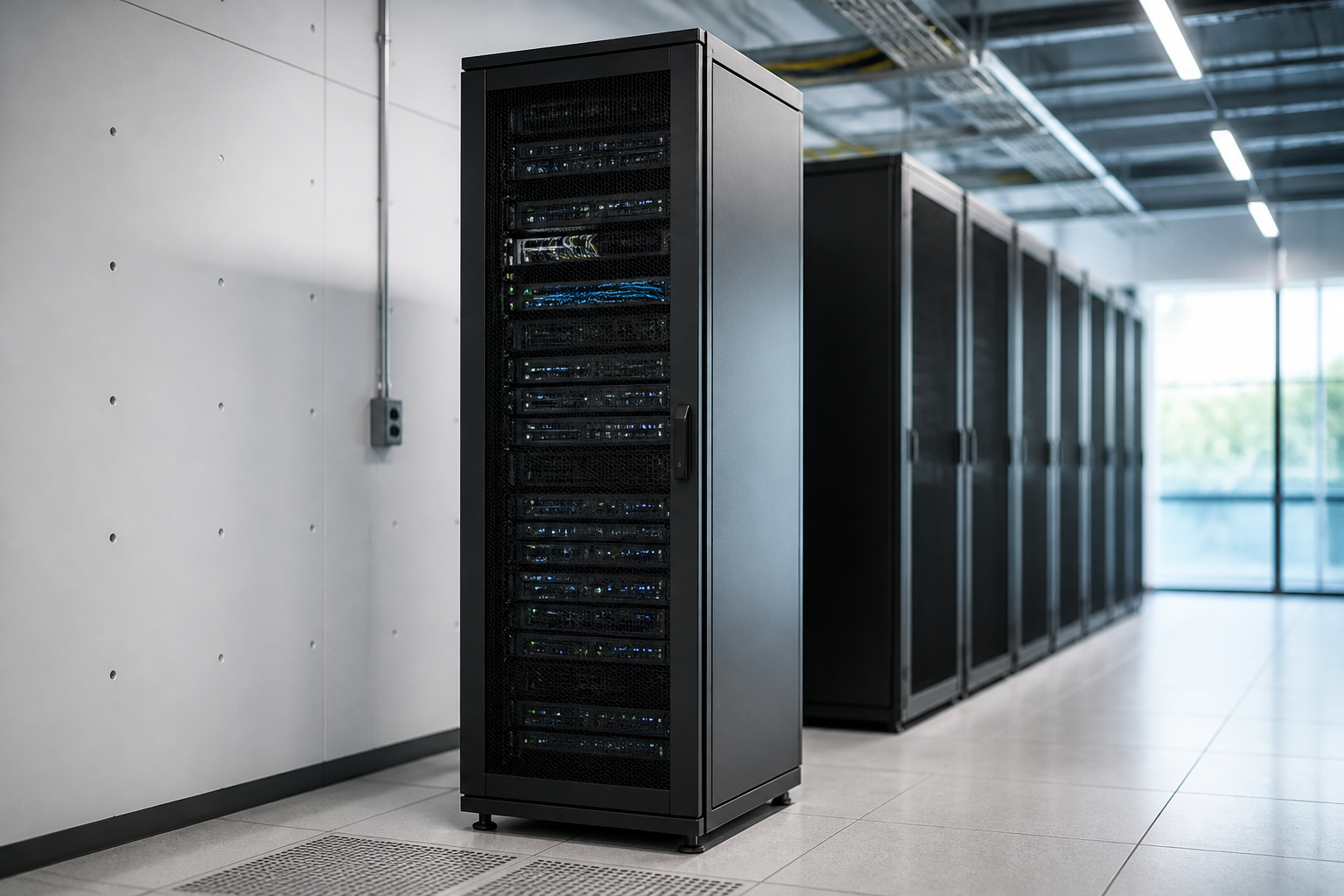
A 42U server rack is a standard 19-inch equipment cabinet with 42 rack units of vertical mounting space. One rack unit, or U, is 44.45 mm high, so 42U provides 1,866.9 mm of usable rail height. The cabinet itself is taller—commonly around 2,000 mm—and its practical capacity depends on equipment depth, cable management, power distribution, airflow and required maintenance clearance.
For organisations planning a server room, network room or data centre, the U-height is only the starting point. A successful installation must also account for floor loading, cabinet width and depth, electrical protection, earthing, cooling, fire safety, access routes and local building requirements. This guide explains the dimensions and planning decisions that matter before you purchase or install a rack.
What does 42U mean?
The letter U means rack unit. It is a standard measurement used to describe the vertical height of equipment designed for a 19-inch rack. One U equals 1.75 inches, or 44.45 mm. Therefore:
- 1U: 44.45 mm of mounting height
- 2U: 88.9 mm
- 42U: 1,866.9 mm, or approximately 1.87 m, between the mounting rails
The 42U measurement describes the equipment opening, not the complete outside height. A cabinet needs a roof, base, castors or levelling feet, doors and structural framing. A 42U cabinet is consequently often approximately 2 m high, although the exact external height varies by manufacturer and product design.
Rack units are not a measure of usable floor area, cabinet volume or electrical capacity. A 1U server may use the full rail height but have a different depth, weight and power demand from a 1U network switch. Always check the equipment manufacturer’s installation drawings rather than relying on U values alone.
42U server rack dimensions and usable space
Most equipment described as rack-mountable is designed for a nominal 19-inch rack. This refers to the standard mounting interface, not necessarily the cabinet’s outside width. A cabinet may be 600 mm wide, while a wider 800 mm model provides additional vertical cable channels and room beside the rails.
| Dimension | What it describes | Common planning consideration |
|---|---|---|
| Rack height | 42U or 1,866.9 mm of rail space | Confirm equipment count and leave expansion capacity |
| Mounting width | Nominal 19-inch equipment interface | Check rail spacing and cage-nut compatibility |
| External width | Usually about 600 or 800 mm | Allow space for side cable management and doors |
| External depth | Often approximately 800 to 1,200 mm | Match the deepest device, rails and rear cable bend |
| Internal rail adjustment | Front-to-rear distance between rails | Verify server depth and manufacturer rail requirements |
How much equipment fits in a 42U rack?
In theory, the cabinet can hold 42 separate 1U devices, 21 2U devices or combinations adding up to 42U. In practice, filling every unit is rarely the best design. Blank panels may be needed to support front-to-back airflow, while cable managers, patch panels, KVM equipment, shelves and power distribution units consume space.
A sensible layout normally reserves capacity for growth and for devices that may be added later. Leaving approximately 20 to 30 percent of the vertical space unoccupied can make maintenance and future expansion easier, although the correct allowance depends on the project. A cabinet with heavy servers should also be checked for weight distribution rather than simply counted by U.
Planning the internal rack layout
Rack layout affects cooling, cabling, reliability and safety. Before installing equipment, create a simple elevation drawing showing every device, its U position, weight, power connection and network connections. Numbering the positions makes installation and future troubleshooting more consistent.
Place heavy equipment low
Heavy servers, storage arrays, uninterruptible power supplies and batteries should generally be installed in lower positions. This lowers the centre of gravity and reduces the risk of a cabinet becoming unstable when equipment is extended on sliding rails. Follow the cabinet’s anti-tip instructions and never pull out multiple heavy sliding devices at the same time unless the rack is specifically designed for it.
Separate power and data cabling where practical
Route power and data cables so that they do not obstruct fans, block rear service access or place stress on connectors. Use vertical and horizontal cable managers, hook-and-loop ties and strain relief. Avoid tightly compressing fibre or copper cables, and observe the minimum bend radius specified by the cable manufacturer.
Keep airflow paths clear
Many enterprise servers draw cool air through the front and exhaust warm air at the rear. Install blanking panels in unused front positions where appropriate, seal unnecessary openings and avoid placing equipment with conflicting airflow directions in the same thermal zone. A cabinet fan kit does not replace a properly designed room cooling system; it only moves air within or around the enclosure.
Choosing the right cabinet depth and width
Depth is one of the most common causes of an unsuitable rack purchase. Measure the complete installation envelope of the deepest device, including rack rails, rear cable connectors, power leads and the bend radius of copper or fibre cables. A server that appears to fit by chassis length may still prevent the rear door from closing or make maintenance difficult.
Choose a cabinet with adjustable mounting rails where possible. Confirm the minimum and maximum rail positions and compare them with the equipment’s rail kit. Some devices require square-hole mounting, while others use threaded holes or manufacturer-specific rails. Cage nuts, screws and rails should match the cabinet and equipment specifications.
A 600 mm-wide cabinet can be suitable for compact installations. An 800 mm-wide cabinet provides more space for vertical PDUs and cable management, especially in networks with many patch leads. The wider option may, however, require a larger room footprint, wider doors and a different containment arrangement.
European installation requirements for a 42U server rack
There is no single European rule that specifies one universal cabinet size or one complete server-room installation method. Requirements depend on the country, building, electrical system, premises classification, insurer, customer contract and the equipment being installed. A competent designer should therefore review the applicable national rules before work begins.
Electrical safety and earthing
Rack power should be designed and installed in accordance with the applicable national implementation of IEC 60364 and local electrical regulations. This includes circuit protection, conductor sizing, isolation, residual-current protection where required, earthing and bonding. The rack frame, doors and removable metal panels should be bonded according to the cabinet manufacturer’s instructions and the site’s protective bonding design.
Use correctly rated power distribution units and avoid overloaded extension leads or unmanaged multiway adapters. Consider separate feeds for dual-corded equipment and clearly label A and B power paths. An uninterruptible power supply may support continuity, but it does not remove the need for proper protection, bypass arrangements, battery ventilation and maintenance procedures.
Equipment conformity and product documentation
Active IT equipment placed in the European Economic Area may be subject to applicable product legislation, including requirements associated with electrical safety, electromagnetic compatibility and, where relevant, radio equipment or restricted substances. The manufacturer’s declaration and technical documentation identify the legislation relevant to that product.
An empty server cabinet is not automatically equivalent to a powered electronic product. Nevertheless, integrated fans, PDUs, monitoring systems and other powered accessories can introduce additional conformity and installation obligations. Use components with appropriate documentation and follow the supplier’s instructions.
Fire protection and building safety
Server rooms should be reviewed against local fire strategy, building regulations and the organisation’s business-continuity plan. Keep escape routes, fire doors, extinguishers and access panels unobstructed. Cable penetrations through walls or floors may require fire stopping, and the selected fire detection or suppression system must be suitable for the premises and equipment.
Do not assume that a clean-agent suppression system is appropriate for every location. The responsible fire-safety designer should assess occupancy, ventilation, room integrity, alarm sequencing and the effect on people. Storage of batteries and UPS equipment may require additional controls.
Structural loading and seismic considerations
Before placing a fully populated 42U server rack on a raised floor, confirm the point load and distributed load limits. The weight of servers, batteries, PDUs and cabling can be substantial. Use load-spreading bases or other measures where specified by the structural engineer or floor manufacturer.
In regions exposed to seismic activity, the cabinet may need anchoring, bracing and equipment retention appropriate to the local risk and building design. Castors alone are not a substitute for anchoring. Follow the rack manufacturer’s installation instructions and any project-specific structural requirements.
Standards for data-centre design
EN 50600 is a European family of standards covering data-centre facilities and infrastructure, including concepts such as availability, security, environmental conditions and energy efficiency. It is useful for structured design, but its applicability and required performance level must be defined for the particular project.
Other relevant documents can include product safety standards, cabling standards, electromagnetic compatibility requirements, occupational safety rules and national fire and electrical codes. A standards review should be recorded as part of the design rather than treated as a last-minute checklist.
Cooling and environmental conditions
Check the allowable temperature, humidity, airflow and altitude limits for every device. The room’s cooling system should be sized for the actual IT load plus an appropriate allowance for power-conversion losses and future growth. High-density servers or GPU systems may require specialised airflow management or liquid-cooling infrastructure rather than a conventional cabinet layout.
Keep the cabinet away from water sources, direct sunlight and areas exposed to dust or corrosive contaminants. Install environmental monitoring for temperature, humidity, smoke, water leakage and, where justified, door status. Alerts should reach a staffed monitoring process, not merely a local display.
Installation checklist
- Confirm the equipment list, U count, dimensions, rail kits, weight and power requirements.
- Select cabinet height, width, depth, door type, castors, levelling feet and cable-management accessories.
- Verify delivery routes, lift capacity, doorway dimensions and final floor loading.
- Design rack elevations, power paths, patching and airflow direction before delivery.
- Provide correctly protected circuits, earthing, bonding and labelled PDUs.
- Anchor or stabilise the cabinet where required, then level it before loading equipment.
- Install heavy equipment low, secure sliding devices and keep unused airflow openings controlled.
- Test power, network connectivity, alarms, environmental sensors and UPS operation.
- Document serial numbers, port connections, circuit identifiers, rack positions and maintenance access.
Key takeaways
- A 42U server rack offers 1,866.9 mm of nominal vertical mounting space.
- The outside cabinet is usually about 2 m high, but dimensions vary by product.
- Actual capacity is reduced by cable management, PDUs, patching, airflow controls and reserved growth space.
- Depth, rail adjustment, weight and rear cable clearance are as important as U height.
- European installation requirements vary by country and project; electrical, fire, structural and product-safety reviews are essential.
Frequently asked questions
How tall is a 42U server rack?
A 42U rack has 1,866.9 mm of internal mounting height. Its external height is commonly close to 2,000 mm, but the precise measurement depends on the frame, roof, base, castors and levelling feet.
Can a 42U server rack hold 42 1U servers?
It can provide enough nominal rail height for 42 1U devices, but a completely full rack is not always practical. You may need space for PDUs, cable managers, patch panels, blanking panels, airflow separation and future expansion. The rack’s weight and power limits must also be respected.
What is the standard width of a 42U rack?
The equipment mounting interface is nominally 19 inches. The cabinet itself is often 600 mm or 800 mm wide. An 800 mm cabinet is useful when extensive vertical cable management or side-mounted PDUs are required.
How deep should a 42U server rack be?
Choose depth according to the deepest equipment, rail kit, rear connectors, power plugs and cable bend radius. Many installations use cabinets between approximately 800 and 1,200 mm deep, but the correct value must be based on the actual equipment drawings.
Are there specific European rules for installing a 42U server rack?
There is no single rule covering every installation. The project may need to address national electrical regulations, IEC 60364 implementation, earthing and bonding, fire protection, structural loading, product conformity and data-centre standards such as EN 50600. A qualified local designer should confirm the requirements for the site.
{“@context”:”https://schema.org”,”@type”:”FAQPage”,”mainEntity”:[{“@type”:”Question”,”name”:”How tall is a 42U server rack?”,”acceptedAnswer”:{“@type”:”Answer”,”text”:”A 42U rack has 1,866.9 mm of internal mounting height. Its external height is commonly close to 2,000 mm, but the precise measurement depends on the frame, roof, base, castors and levelling feet.”}},{“@type”:”Question”,”name”:”Can a 42U server rack hold 42 1U servers?”,”acceptedAnswer”:{“@type”:”Answer”,”text”:”It can provide enough nominal rail height for 42 1U devices, but a completely full rack is not always practical. Space may be needed for PDUs, cable managers, patch panels, blanking panels, airflow separation and future expansion.”}},{“@type”:”Question”,”name”:”What is the standard width of a 42U rack?”,”acceptedAnswer”:{“@type”:”Answer”,”text”:”The equipment mounting interface is nominally 19 inches. The cabinet itself is often 600 mm or 800 mm wide. An 800 mm cabinet is useful when extensive vertical cable management or side-mounted PDUs are required.”}},{“@type”:”Question”,”name”:”How deep should a 42U server rack be?”,”acceptedAnswer”:{“@type”:”Answer”,”text”:”Choose depth according to the deepest equipment, rail kit, rear connectors, power plugs and cable bend radius. Many installations use cabinets between approximately 800 and 1,200 mm deep, but the correct value must be based on the actual equipment drawings.”}},{“@type”:”Question”,”name”:”Are there specific European rules for installing a 42U server rack?”,”acceptedAnswer”:{“@type”:”Answer”,”text”:”There is no single rule covering every installation. The project may need to address national electrical regulations, IEC 60364 implementation, earthing and bonding, fire protection, structural loading, product conformity and data-centre standards such as EN 50600.”}}]}