



Blog
Server Rack or Alternatives? Choose the Right Setup

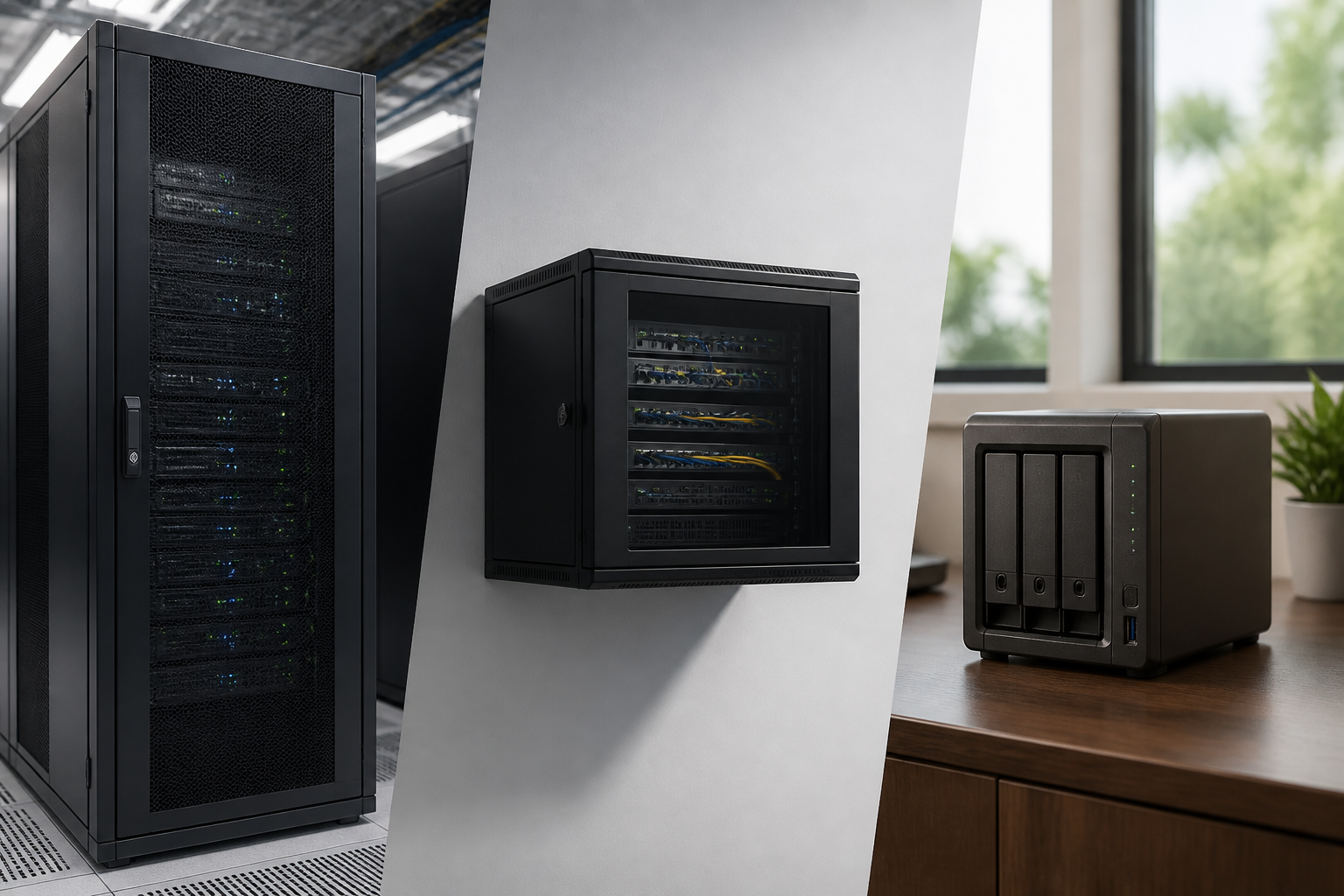
A server rack is a structured way to install, protect and manage rack-mount servers, switches, patch panels, power equipment and related hardware. However, it is not automatically the best choice for every installation. Depending on your equipment, room, security requirements and future plans, an open-frame rack, wall-mount cabinet, network cabinet or a non-rack enclosure may be more suitable.
The right decision is less about choosing the largest enclosure available and more about matching the infrastructure to the environment. This comparison explains how the main options differ, when each one makes sense and which practical questions to ask before buying.
What Is a Server Rack Used For?
A server rack provides a standardised mounting structure for equipment designed for rack installation. Most rack equipment uses a common horizontal format, allowing different manufacturers’ devices to be installed in the same cabinet or frame when the dimensions are compatible.
A suitable rack solution can help you:
- Organise servers, switches, patch panels and power equipment in one location.
- Improve cable routing and make connections easier to identify.
- Support a more orderly approach to equipment installation and maintenance.
- Control physical access to important infrastructure.
- Plan for additional equipment without redesigning the entire installation.
Enclosed server cabinets are often selected where equipment needs greater protection from accidental contact, dust or unauthorised access. They can also provide a more finished installation in offices, technical rooms and other shared environments. To assess the key buying factors in more detail, see RADA Networks’ Server Rack Selection Guide.
Server Rack vs Open-Frame Rack
An open-frame rack is a mounting frame without solid side panels, a roof or lockable front and rear doors. It is usually chosen for accessibility, visibility and straightforward installation rather than for physical protection.
When an open-frame rack makes sense
- The equipment is located in a controlled technical room or restricted-access area.
- Technicians need frequent access to the front, rear and sides of the equipment.
- Airflow and easy visual inspection are higher priorities than enclosure security.
- The installation contains network equipment, patch panels or other devices that do not require a closed cabinet.
- There is sufficient space around the frame for cable work and maintenance.
When an enclosed server rack is preferable
- The equipment is installed in an office, shop, classroom or shared building area.
- Physical access needs to be controlled.
- Cables and equipment should be protected from accidental interference.
- The installation needs a cleaner, more contained appearance.
- You want a defined space for cable management and future additions.
An open frame can be practical and accessible, but it offers fewer barriers against contact, tampering and the surrounding environment. An enclosed cabinet generally provides a more complete infrastructure solution when the rack is not inside a dedicated, secure equipment room.
Server Rack vs Wall-Mount Cabinet
A wall-mount cabinet is a compact enclosure designed to be fixed to a suitable wall. It can be a useful alternative when the installation has limited floor space or contains a smaller amount of network and communications equipment.
Choose a wall-mount cabinet when:
- The equipment load is modest and does not require a floor-standing enclosure.
- Most of the installed hardware is network-focused, such as switches, patch panels and small supporting devices.
- Floor space is limited or needs to remain clear.
- The installation is in a branch office, small communications room or similar location.
- The wall structure and mounting position can safely support the enclosure and its equipment.
A wall-mounted solution should not be selected on external size alone. Check the usable mounting space, equipment depth, cable clearance, access requirements and weight considerations. Doors and side access can also affect how easily equipment can be installed and serviced.
A floor-standing server cabinet is generally more appropriate when you need greater internal capacity, deeper equipment, more cable space or room for expansion. For help calculating the required height and depth, use the guide to sizing a 19-inch rack.
Server Rack vs Network Cabinet
The terms server rack and network cabinet are sometimes used interchangeably, but the intended application can be different. A network cabinet is commonly planned around switches, patch panels, structured cabling and communications equipment. A server cabinet may need to accommodate deeper or heavier equipment, additional power distribution and more demanding cable management.
In practice, the distinction should be based on the equipment rather than the label. Before choosing, consider:
- The height and depth of every device you plan to install.
- Whether the equipment is designed for rack mounting.
- How much room is needed behind devices for plugs, cables and service access.
- Whether the cabinet must support servers, storage equipment or other deeper hardware.
- How cables will enter, exit and be routed within the installation.
- Whether you need spare capacity for future hardware.
A cabinet designed mainly for network hardware may be entirely suitable for a communications installation, while a deeper server-oriented enclosure may be a better choice for mixed infrastructure. If patching and connectivity are the main priorities, RADA Networks’ network cabinet buying guide offers further planning considerations.
When a Non-Rack Solution Makes More Sense
Not every installation requires rack-mount infrastructure. A small office may use desktop equipment, a compact enclosure or a dedicated shelf for a limited number of devices. This can be reasonable when the system is small, the equipment is not designed for rack mounting and future growth is unlikely.
However, a non-rack arrangement can become difficult to manage as the installation expands. Loose devices, mixed cables and improvised power arrangements may make troubleshooting and maintenance harder. It can also be more difficult to control access, maintain a consistent layout or add equipment later.
Consider a rack-based solution sooner rather than later if the installation includes several devices, structured cabling, multiple power connections or equipment that may grow over time. Establishing a clear mounting and cable-management system at the beginning can avoid unnecessary rework.
Key Factors Before Choosing an Enclosure
1. Equipment dimensions
List every device, including its mounting format, height, depth and connection requirements. Do not measure only the front of the equipment. Rear cable plugs, power leads and service clearance can determine whether a cabinet is practical.
2. Capacity and expansion
Allow space for equipment that is already planned but not yet installed, as well as sensible room for future changes. A cabinet that is full on the day of installation can restrict maintenance and force an earlier replacement.
3. Location
Assess the available floor or wall space, access routes, surrounding clearance and the working environment. A cabinet in a shared room may need different access and protection features from one installed in a dedicated technical area.
4. Cable management
Plan cable paths before installation. Network cables, power leads and patching connections should be arranged so that they can be traced, replaced and serviced without disturbing unrelated equipment.
5. Access and security
Decide who needs access and how often. Open frames prioritise accessibility, while enclosed cabinets can provide a more controlled physical environment. The right choice depends on the location and the sensitivity of the equipment.
6. Maintenance and future changes
Think beyond the initial installation. Removable or accessible panels, suitable door arrangements and adequate working space can make routine changes less disruptive.
A Simple Decision Framework
- Choose an enclosed floor-standing server rack when you need organised capacity for servers or mixed rack equipment, physical protection and room to expand.
- Choose an open-frame rack when the equipment is in a secure technical area and frequent access, visibility and airflow are the main priorities.
- Choose a wall-mount cabinet when space is limited and the installation contains a smaller quantity of appropriately sized equipment.
- Choose a network cabinet when switches, patch panels and structured cabling form the core of the installation, subject to checking equipment depth and access needs.
- Choose a non-rack arrangement only when the installation is genuinely small, stable and not suited to rack-mounted equipment.
Make the Choice Around the Installation
The best rack solution is the one that fits the equipment, location and operating requirements without creating avoidable limitations. Compare usable capacity, equipment depth, cable space, access, security and expansion needs rather than choosing solely by external appearance.
RADA Networks supplies server cabinets, network cabinets and related rack infrastructure for installations in different environments. If you need help identifying a suitable direction for your project, contact RADA Networks to discuss your requirements.