



Blog
Network Cabinet Options: Which Setup Fits Your Space?

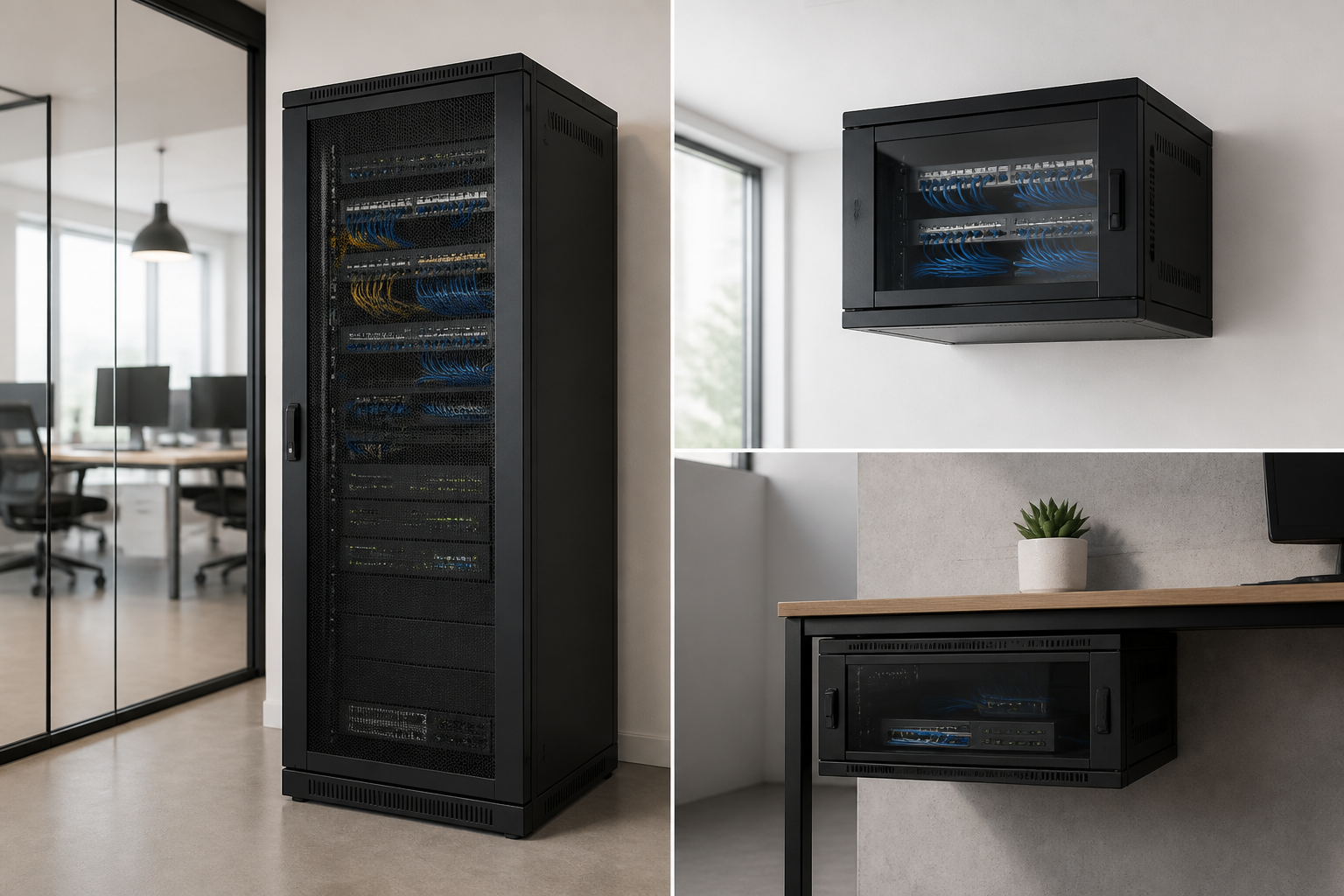
Choosing a network cabinet is not simply a question of finding a box that holds switches and patch panels. The right enclosure affects equipment protection, cable organisation, access, airflow, security and the ability to expand later. Depending on your site and equipment, an open-frame rack, wall-mounted cabinet, server cabinet or simpler mounting arrangement may be more suitable.
This comparison explains where each option makes sense, what trade-offs to consider and how to avoid choosing based only on the amount of equipment you have today.
What a network cabinet is designed to do
A network cabinet is an enclosure designed to organise and protect rack-mounted networking equipment. It commonly houses items such as switches, patch panels, cable management accessories, power distribution equipment and other devices built for a standard 19-inch rack format.
Unlike a basic shelf or an improvised wall mount, a cabinet can provide a more structured installation. Depending on its design, it may offer lockable access, removable or hinged panels, cable entry points, ventilation and space for future additions. These features can be especially useful in offices, commercial premises, technical rooms and locations where equipment must be kept away from general access.
However, not every installation needs the same level of enclosure. A small network with limited equipment may benefit from a compact wall-mounted solution, while a growing business or technical environment may require a floor-standing cabinet with more room for equipment, cabling and power management. For a broader checklist, see the Network Cabinet Buying Guide.
Network cabinet compared with the main alternatives
1. Enclosed network cabinet
An enclosed network cabinet is a strong all-round choice when equipment needs organisation, protection and controlled access. Its panels and doors can help shield hardware from accidental contact, dust and everyday interference, while the rack structure keeps devices aligned and cables easier to manage.
This option makes sense when:
- The installation includes several rack-mounted network devices.
- The equipment is located in a shared office, corridor, retail area or other accessible space.
- You want a cleaner installation with doors, panels and cable routing.
- There is a reasonable likelihood of adding equipment later.
- Physical access should be limited to authorised personnel.
The main trade-off is that an enclosed cabinet requires more careful planning than an open rack. You need to confirm equipment depth, door clearance, cable entry, ventilation and the available floor or wall space. It may also be less convenient than an open frame for installations that require frequent access from multiple sides.
2. Open-frame rack
An open-frame rack supports rack-mounted equipment without surrounding doors and side panels. This makes devices easy to reach and can simplify installation, inspection and cable work. It is often considered for dedicated technical rooms, low-traffic areas and environments where physical security and appearance are less important.
An open rack may be suitable when:
- Equipment needs frequent access by technical staff.
- The rack is installed in a secure room rather than a public or shared area.
- Fast visibility and easy access are priorities.
- There is enough room around the rack for cable and maintenance work.
- Protection from accidental contact is not a major concern.
The disadvantages are equally important. Equipment is more exposed to dust, contact and accidental interference, and cables may be more visible. An open frame can also be a poor choice where appearance, access control or protection from the surrounding environment matters.
3. Wall-mounted network cabinet
A wall-mounted cabinet is intended for smaller installations where saving floor space is a priority. It can place network equipment, patch panels and cable management above the floor while keeping the installation contained and accessible.
This approach can work well in a small office, branch location, communications room or retail environment with a limited number of devices. It is particularly useful when there is no practical space for a floor-standing enclosure.
Before selecting one, check the wall structure, mounting position, cabinet load, equipment depth and working clearance. A wall-mounted cabinet can become difficult to service if it is installed too high or positioned where the door cannot open fully. It may also be unsuitable for deeper equipment or an installation expected to grow significantly.
4. Server cabinet
A server cabinet is generally selected for installations that include servers or other deeper, heavier equipment, often alongside networking hardware. It may offer more internal space and a layout better suited to larger systems, power equipment and additional cable management.
A server cabinet makes sense when the installation includes rack servers, storage systems, substantial power distribution or a mixture of server and network equipment. It can also be a sensible long-term choice when the equipment list is likely to expand beyond a standard communications-room setup.
For a small switch-and-patch-panel installation, however, a large server cabinet may use more space than necessary. The decision should be based on equipment dimensions, weight, required rack space and future plans rather than on the label alone. You can compare the broader use cases in Server Cabinet vs Alternatives.
5. Shelf, bracket or non-rack mounting
Some small installations use a shelf, bracket or compact enclosure instead of a full rack cabinet. This can be reasonable where there is only one small device or where the equipment is not designed for rack mounting.
These solutions may reduce initial complexity, but they often provide less cable management, less physical protection and less room for expansion. They can also make future upgrades harder if more devices are added or if the installation needs to be standardised later.
Use this approach only after checking how the equipment will be supported, powered, ventilated and secured. A low-cost or improvised arrangement can become inconvenient when cables multiply or troubleshooting is required.
How to decide which option fits your installation
Start with the equipment, not the enclosure
List every device that must be installed, including switches, patch panels, routers, power accessories and cable management components. Confirm which items are rack-mountable and note their height, depth and weight. Allow room for connectors, bend radius and access rather than measuring only the hardware itself.
If the equipment includes both networking devices and servers, plan the layout as one system. A cabinet that fits the first devices may not be suitable once deeper equipment, power distribution or additional patching is introduced. The 19-inch rack sizing guide can help you think through capacity and cable space.
Consider the installation location
Measure the available width, height and depth, but also consider doorways, service access and the surrounding working area. A cabinet may physically fit into a room yet be difficult to install or maintain once doors and cables are taken into account.
For public or shared areas, an enclosed and lockable design may be preferable. For a dedicated technical room, an open-frame rack may provide more convenient access. In a compact office, wall mounting may be the best way to preserve floor space.
Plan airflow and cable management
Networking equipment needs a sensible arrangement for airflow and power. Avoid placing devices so tightly together that maintenance or ventilation becomes difficult. Keep power and data cabling organised, label connections where appropriate and leave enough slack for servicing without putting strain on ports.
A cabinet with suitable cable entry and management options can make future changes much easier. This is also where structured cabling becomes important: the cabinet should support a clear path between incoming cables, patch panels, active equipment and connected work areas. Learn more in RADA Networks’ guide to structured cabling.
Allow for future changes
Network infrastructure is rarely static. Businesses add users, access points, cameras, phones, storage and other connected equipment over time. Choosing an enclosure with some spare capacity can reduce the need for an early replacement and provide room for cleaner cable routing.
Future capacity does not mean selecting the largest cabinet available. It means balancing expected growth against the available space, equipment requirements and installation budget. A compact wall-mounted cabinet may be appropriate for a stable small site, while a floor-standing network or server cabinet may be more practical for a growing environment.
A practical choice for each common scenario
- Small office with limited network equipment: Consider a wall-mounted cabinet if the wall, equipment depth and service access are suitable.
- Shared or customer-facing area: An enclosed network cabinet can provide a tidier and more protected installation.
- Secure technical room with frequent maintenance: An open-frame rack may offer the easiest access.
- Mixed server and network environment: A server cabinet may provide the space and support needed for deeper or heavier equipment.
- One small non-rack device: A shelf or bracket may be adequate, provided support, ventilation and security are properly addressed.
Choose the enclosure around the complete system
The best option is the one that supports the entire installation, not merely the equipment that is being purchased first. Think about protection, access, cable routing, airflow, available space, equipment dimensions and likely expansion. These factors will usually point clearly toward an enclosed network cabinet, open rack, wall-mounted solution, server cabinet or simpler mounting method.
RADA Networks supplies rack infrastructure for network and server environments. Explore RADA Networks’ server cabinets and datacenter solutions to assess the options for your installation.
4 thoughts on “Network Cabinet Options: Which Setup Fits Your Space?”
Comments are closed.