



Blog
How to Choose the Right Server Rack: Size, Type and Setup

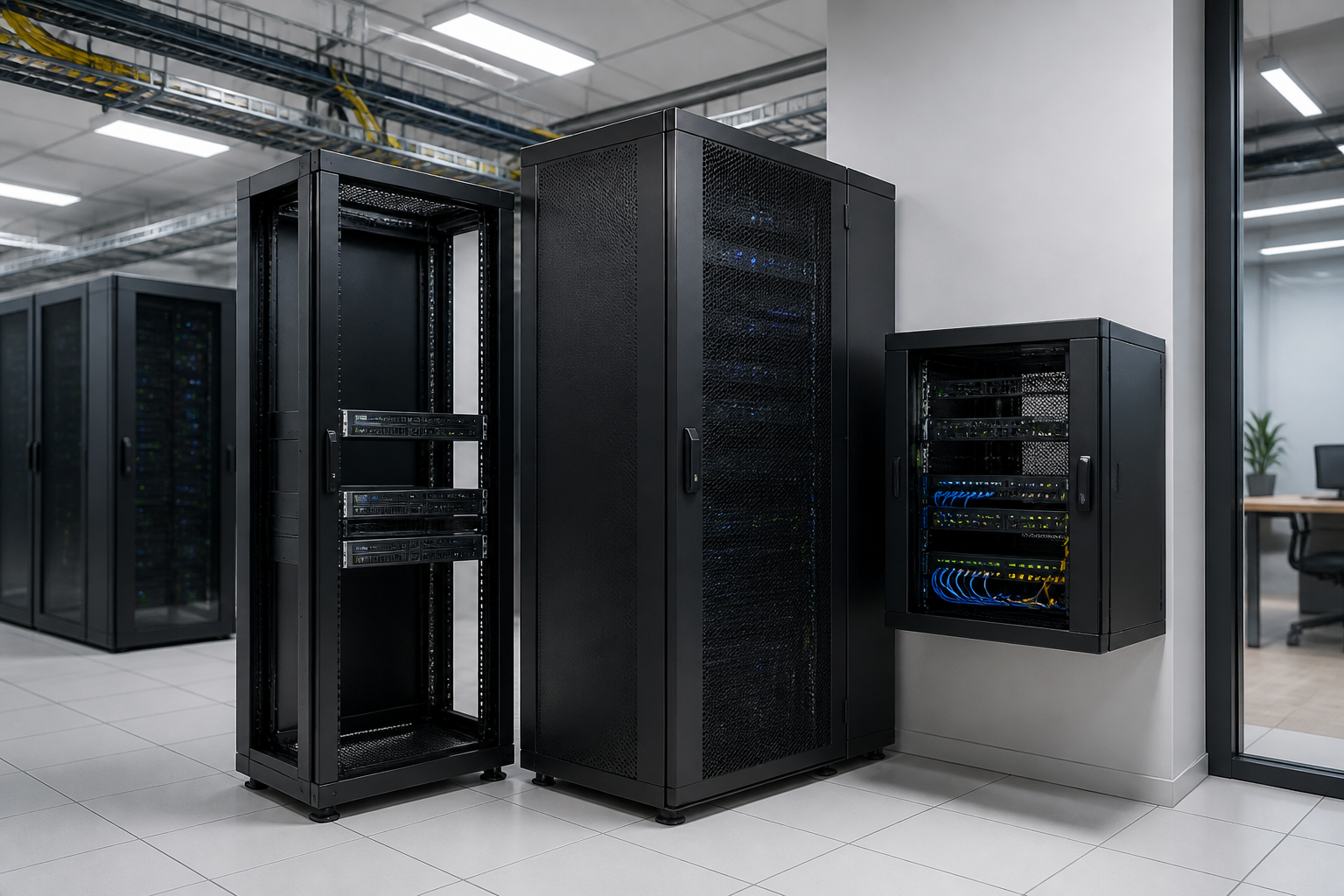
Choosing a server rack is not simply a matter of finding an enclosure that fits today’s equipment. The right solution must accommodate your servers, switches, patch panels, power equipment and cabling while also supporting safe operation, maintenance access and future growth. By assessing size, type and configuration before you buy, you can avoid overcrowding, compatibility problems and unnecessary replacement costs.
Start with the equipment, not the cabinet
The best rack selection process begins with a clear inventory of the equipment you intend to install. List each device, its rack-mount requirements, dimensions, weight and connection needs. Include equipment that may be added in the near future, rather than planning only for the hardware already on site.
Most rack-mounted IT equipment is designed around the 19-inch mounting standard, but that does not mean every device will have the same depth, mounting method or clearance requirements. Some equipment may be installed directly in the rack, while other items may need shelves, brackets or a separate mounting solution.
Measure the usable depth of the equipment and allow room for power plugs, network connections, cable bends, airflow and maintenance. A device that technically fits inside a cabinet may still be unsuitable if cables are sharply bent or rear access is restricted. For a more detailed measurement process, see how to size a 19-inch rack for servers, switches and cables.
Choose the right server rack size
Rack height and usable units
Rack height is commonly described in rack units, written as U. Each rack-mounted device occupies a particular number of units, so add the requirements of your servers, switches, patch panels, power distribution equipment and accessories to estimate the height needed.
Do not fill every available unit at the beginning. Space may be needed for cable management, blanking panels, airflow planning or equipment that will be installed later. A small amount of spare capacity can also make future maintenance easier. At the same time, choosing a cabinet that is much larger than your actual installation can create unnecessary space, handling and cooling considerations.
Width and mounting compatibility
Confirm that the cabinet’s mounting rails match the equipment you plan to install. The 19-inch format is widely used, but the external width of a cabinet and its internal mounting arrangement are separate considerations. Check rail adjustment, mounting hardware and the available space for side-to-side cable routing.
Depth and rear clearance
Depth is one of the most frequently overlooked decisions. Compare the full equipment depth with the cabinet’s usable mounting depth rather than its external measurement. Allow additional clearance behind the equipment for connectors, power cords, airflow and access during servicing.
When several devices have different depths, base the decision on the deepest item and consider how cabling will be routed. If you are uncertain about measurements, the server rack selection guide provides a useful framework for comparing the main requirements.
Compare server rack types
Open-frame racks
An open-frame rack provides easy access from the front, rear and sides. It can be a practical choice for equipment rooms or controlled areas where security, dust protection and noise reduction are not the main priorities. Open access also makes patching and inspection straightforward.
However, an open frame offers less physical protection and does not control airflow in the same way as an enclosed cabinet. It may be less suitable for public, industrial or shared spaces where equipment needs greater protection from contact, debris or unauthorised access.
Enclosed server cabinets
An enclosed server cabinet surrounds the equipment with doors and panels. This can provide a more controlled installation, improved physical protection and a tidier appearance. It is often preferred where equipment is located in an office, communications room or other area that needs a defined enclosure.
Door and panel design should be considered alongside ventilation. A cabinet must support the airflow pattern of the installed equipment, provide suitable access for maintenance and leave enough room for cables to enter and exit without obstruction.
Wall-mounted cabinets
A wall-mounted enclosure can suit smaller network installations where floor space is limited. It may be appropriate for switches, patch panels and compact network equipment, provided the wall, mounting method and total load are suitable.
Before choosing this format, assess the depth and weight of the equipment, the available service clearance and how cables will be routed. Wall mounting can save floor space, but it may provide less flexibility for deep or heavy server hardware.
Plan the configuration around operation and maintenance
Airflow and temperature management
Cooling should be considered before equipment is installed, not after the cabinet becomes crowded. Identify the direction in which each device draws and exhausts air, then position equipment so that the airflow path is not blocked. Avoid storing loose items inside the enclosure, and use appropriate blanking or cable-management accessories where needed to reduce unwanted airflow paths.
The room itself also matters. Consider ambient conditions, ventilation, the location of nearby heat sources and the ability to access the front and rear of the cabinet. A well-sized enclosure cannot compensate for poor equipment placement or restricted room airflow.
Cable management
Good cable management improves identification, troubleshooting and future expansion. Plan separate routes for data cables and power cables where practical, and leave enough slack for equipment to be serviced without disconnecting everything. Vertical and horizontal management options can help prevent cables from blocking vents or placing strain on connectors.
Think about where patch panels, switches and cable entry points will be positioned. A tidy layout is not only easier to maintain; it can also make it simpler to trace connections and change equipment later.
Access and security
Decide how often the equipment will need to be accessed and who should be able to reach it. Front and rear access can significantly affect installation and maintenance time. Lockable doors or panels may be useful where the cabinet is located in a shared or publicly accessible environment.
Also check whether the cabinet can be positioned with enough clearance to open doors, remove panels and replace equipment. A cabinet that cannot be fully accessed in its final location can create avoidable service problems.
Power and supporting infrastructure
Power distribution should be planned as part of the rack configuration. Review the number and position of outlets, the location of power cables and the way equipment will be connected. Keep power equipment and cable paths organised so they do not obstruct data connections or ventilation.
Consider related infrastructure such as patch panels, structured cabling, shelves, monitoring equipment and cable entry arrangements. These items can occupy space and influence the overall layout even when they are not active network devices. For background on the wider cabling environment, read the role of structured cabling in network infrastructure.
Allow for future expansion
A rack should support the expected life of the installation, not just the first delivery of equipment. Estimate what may be added, replaced or reconfigured over time. This may include additional switches, patch panels, storage, power equipment or changes to cable routes.
Future planning does not mean selecting the largest possible cabinet. Instead, balance spare rack units, depth, load capacity, room availability and the likely development of the installation. A clear equipment schedule makes this decision more objective and helps prevent both overbuying and premature capacity limits.
A practical server rack selection checklist
- List all current and planned rack-mounted equipment.
- Calculate the required rack units and include reasonable expansion space.
- Measure equipment depth, connectors, power cords and required rear clearance.
- Confirm compatibility with the cabinet’s mounting rails and hardware.
- Choose between an open-frame, enclosed or wall-mounted format based on location and access needs.
- Review airflow direction, ventilation and the surrounding room conditions.
- Plan cable entry, separation, routing and service slack.
- Check equipment weight, mounting method and the suitability of the installation surface.
- Consider physical access, security and maintenance clearance.
- Review power distribution and the space required by supporting accessories.
Make the decision with a complete layout in mind
The most reliable choice comes from considering the cabinet, equipment, room and cabling as one system. Size determines whether the hardware fits, type determines how it is protected and accessed, and configuration determines how effectively it operates over time. Comparing these factors together will help you choose a rack that is practical today and adaptable later.
Explore the RADA Networks range of server cabinets and rack infrastructure for solutions suited to professional network and server installations. If you need help defining the right size or configuration, contact RADA Networks with your equipment list and installation requirements.
One thought on “How to Choose the Right Server Rack: Size, Type and Setup”
Comments are closed.