



Blog
19 Inch Rack vs Other Enclosures: Which Setup Fits?

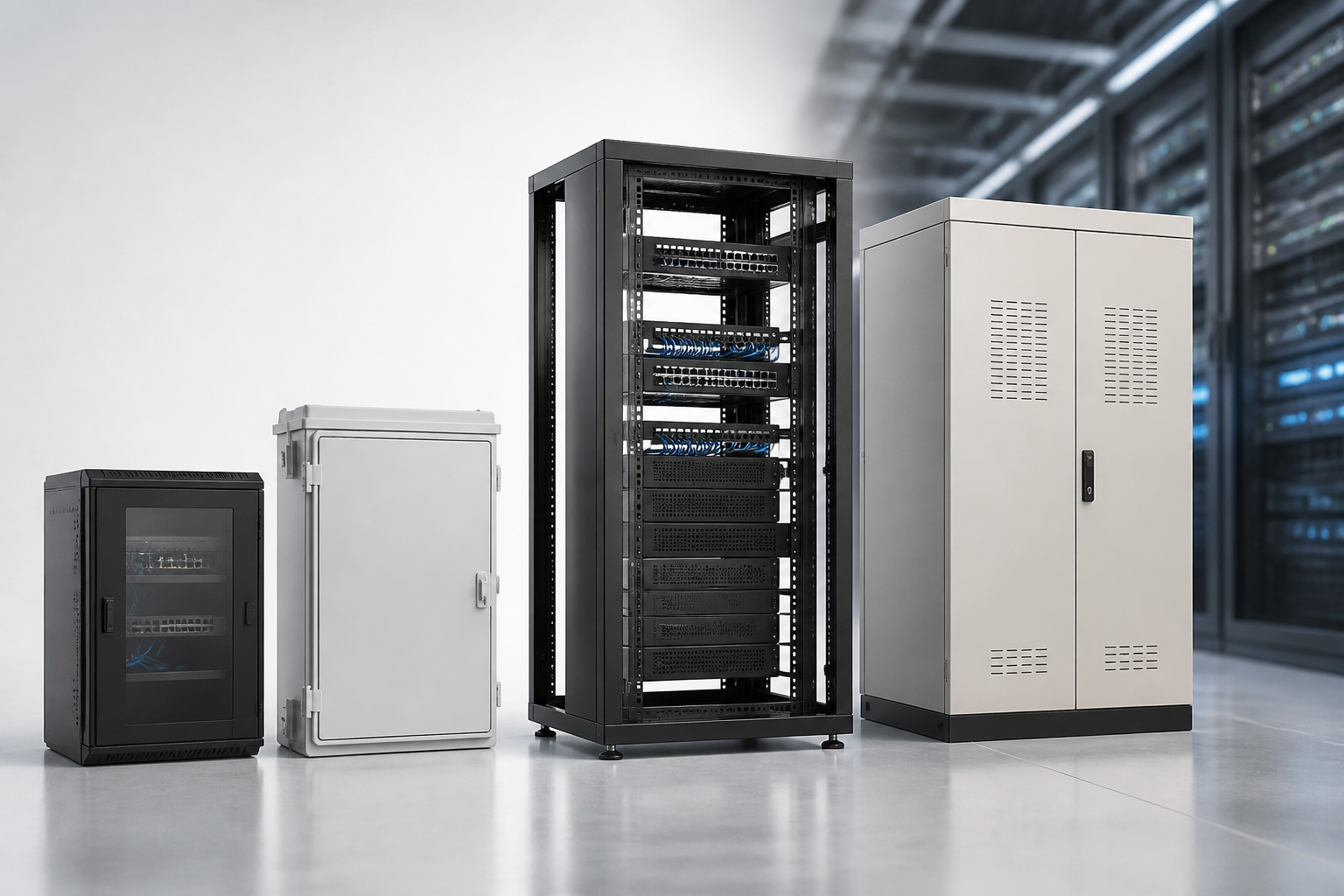
A 19 inch rack is a standard mounting solution for servers, switches, patch panels, power equipment and other rack-mount devices. However, the familiar cabinet is not the only option. Depending on your equipment, room, access requirements and plans for expansion, an open frame, wall-mounted cabinet, non-rack shelf or custom enclosure may be a better fit.
The right choice is not simply the option with the most capacity. It should protect equipment appropriately, support organised cabling, suit the available space and remain practical to install and maintain. This comparison explains where each type of setup makes sense.
What a 19 inch rack is designed to do
A 19 inch rack uses a standard internal mounting width for compatible equipment. The rack itself may be a floor-standing cabinet, an open frame or a wall-mounted enclosure, so the phrase describes the mounting format rather than one specific cabinet design.
A floor-standing rack cabinet is usually considered when equipment needs physical protection, controlled access and a structured installation. It can accommodate several types of hardware in one organised location, while removable or lockable panels can make security and maintenance easier. The cabinet format also helps separate equipment from general storage and makes cable routing more predictable.
Before choosing one, consider more than the width of the mounting rails. You also need to allow for equipment height, depth, cable clearance, power distribution, airflow and future additions. Our guide to sizing a 19 inch rack for servers, switches and cables provides a useful starting point for this planning process.
When a floor-standing rack cabinet is the right choice
A conventional floor-standing cabinet is often the most versatile option for a dedicated server room, communications room, office IT area or technical space. It makes sense when several devices must be installed together and the installation is expected to grow over time.
- Choose it for a consolidated installation: Servers, network switches, patch panels and related rack equipment can be arranged in one planned enclosure.
- Choose it for improved protection: Enclosed sides, doors and panels can help limit casual access and exposure to dust or contact.
- Choose it for structured maintenance: Rack-mounted equipment and cable paths are easier to identify than devices scattered across shelves or desks.
- Choose it for future changes: Leaving sensible spare capacity can make later additions less disruptive.
A cabinet does require suitable floor space and access around the installation. It may be excessive for a very small network with only one compact device, particularly if the equipment does not need enclosure-level protection.
Open-frame racks: access and economy over enclosure
An open-frame rack provides the same general rack-mount format without fully enclosing the equipment. The open design gives technicians easy access to front, rear and side areas, which can be valuable during installation, testing and frequent changes.
Open frames make sense when
- The rack is located in a controlled technical room rather than a publicly accessible area.
- Frequent access is more important than protection from dust, contact or unauthorised handling.
- Airflow and visibility are priorities.
- The installation needs a straightforward structure for patch panels, switches or other equipment.
The trade-off is that open-frame equipment is more exposed. It may not be the right solution for a shared office, retail environment, dusty workshop or location where physical security matters. Cable management also needs deliberate planning because an open rack can quickly look untidy if patch leads and power cables are not routed carefully.
Wall-mounted cabinets for smaller or distributed systems
A wall-mounted network cabinet is a practical alternative when floor space is limited or equipment is distributed around a building. It can keep network hardware above the floor and close to the cabling it serves, which may be useful for small offices, branch locations, classrooms or communication points.
This approach is most suitable for compact network installations rather than deep or heavy server equipment. Before selecting a wall-mounted option, check the wall construction, fixing method, equipment depth, door clearance and access needed for cabling. The wall must also be able to support the loaded enclosure safely.
Wall cabinets can simplify a small installation, but they are not automatically a substitute for a larger floor-standing cabinet. If the system is likely to gain additional equipment, has substantial cable volumes or requires frequent rear access, a floor-standing solution may be more practical. Compare the main network cabinet formats in our guide to network cabinet options for different spaces.
Shelving and non-rack storage: useful, but limited
Basic shelving, a cupboard or a small equipment shelf may seem attractive when the installation contains non-rack devices. This can work for a modem, compact appliance, small uninterruptible power unit or other equipment that does not have rack-mount fixing points.
However, shelving is not equivalent to a 19 inch rack. It usually provides less consistent equipment positioning, weaker cable organisation and less predictable ventilation. General-purpose furniture may also lack suitable access panels, grounding provisions or physical protection for technical equipment. If rack-mount hardware is placed on shelves, adapters or separate support arrangements may be needed, and the finished installation can be harder to expand.
Use shelving when the system is genuinely small, the equipment is not designed for rack mounting and access is simple. Avoid treating it as a long-term replacement when several devices, patch panels and power connections need to be kept in a professional, serviceable layout.
Desktop and compact enclosures for very small installations
A desktop enclosure or compact case can suit a single device or a small communications setup located near users. It may be appropriate where a full cabinet would consume unnecessary space and where the equipment can remain within easy reach.
This option becomes less attractive as cable quantities, equipment numbers and security requirements increase. A desktop arrangement can lead to equipment being moved accidentally, cables being disconnected or heat building up around devices. It is also worth considering whether the installation may need to move into a proper rack later. Planning for that possibility can prevent duplicated work.
How to choose between the alternatives
Start with the environment rather than the enclosure name. The following questions usually narrow the decision quickly:
- What equipment must be installed? List rack-mount devices, non-rack devices, power equipment and accessories separately.
- How much space is available? Measure floor area, wall space, doorways, service clearances and the route used to bring equipment into position.
- How much protection is needed? Consider dust, accidental contact, public access and the value or sensitivity of the equipment.
- How often will technicians work on it? Frequent changes may favour an open frame or an enclosure with convenient access.
- Where will cables enter and leave? A good installation needs room for bend radius, labelling and future cable additions.
- What could be added later? A solution that fits today may become difficult to manage if there is no allowance for expansion.
It is also important to distinguish equipment capacity from usable capacity. A cabinet may have enough mounting space for the devices but not enough room for power connections, cable loops or airflow. Allowing practical working space often produces a more reliable result than selecting the smallest possible enclosure.
Common mistakes when selecting a rack alternative
- Confusing mounting width with cabinet size: The 19 inch standard does not tell you the enclosure’s external width, height or depth.
- Measuring only the hardware: Rear connectors, power leads and network cables also need clearance.
- Ignoring access: A cabinet or wall enclosure must be positioned so doors, panels and working areas remain usable.
- Choosing for current equipment only: A small saving today may create an expensive relocation when the network grows.
- Using furniture as technical infrastructure: Shelves and cupboards may not provide the organisation or protection required for rack equipment.
For a broader comparison of cabinet formats and alternative installations, read server rack or alternatives: choosing the right setup. If you are comparing enclosed rack types, the rack cabinet buying guide can help you review the practical features that affect installation and day-to-day use.
Choose the solution that matches the installation
A floor-standing 19 inch rack cabinet is usually the adaptable choice for a growing, multi-device installation that needs organisation and protection. An open frame suits controlled technical spaces where access and airflow are priorities. A wall-mounted cabinet works well for compact or distributed network equipment, while shelving or a desktop enclosure may be sufficient for a genuinely small system with limited expansion needs.
At RADA Networks, we provide rack infrastructure for server, network and communications installations. Review your equipment, space, access and future requirements, then choose the enclosure that supports the way your system will actually be used.