



Blog
Choosing a Rack Cabinet or Another Enclosure for Your Setup

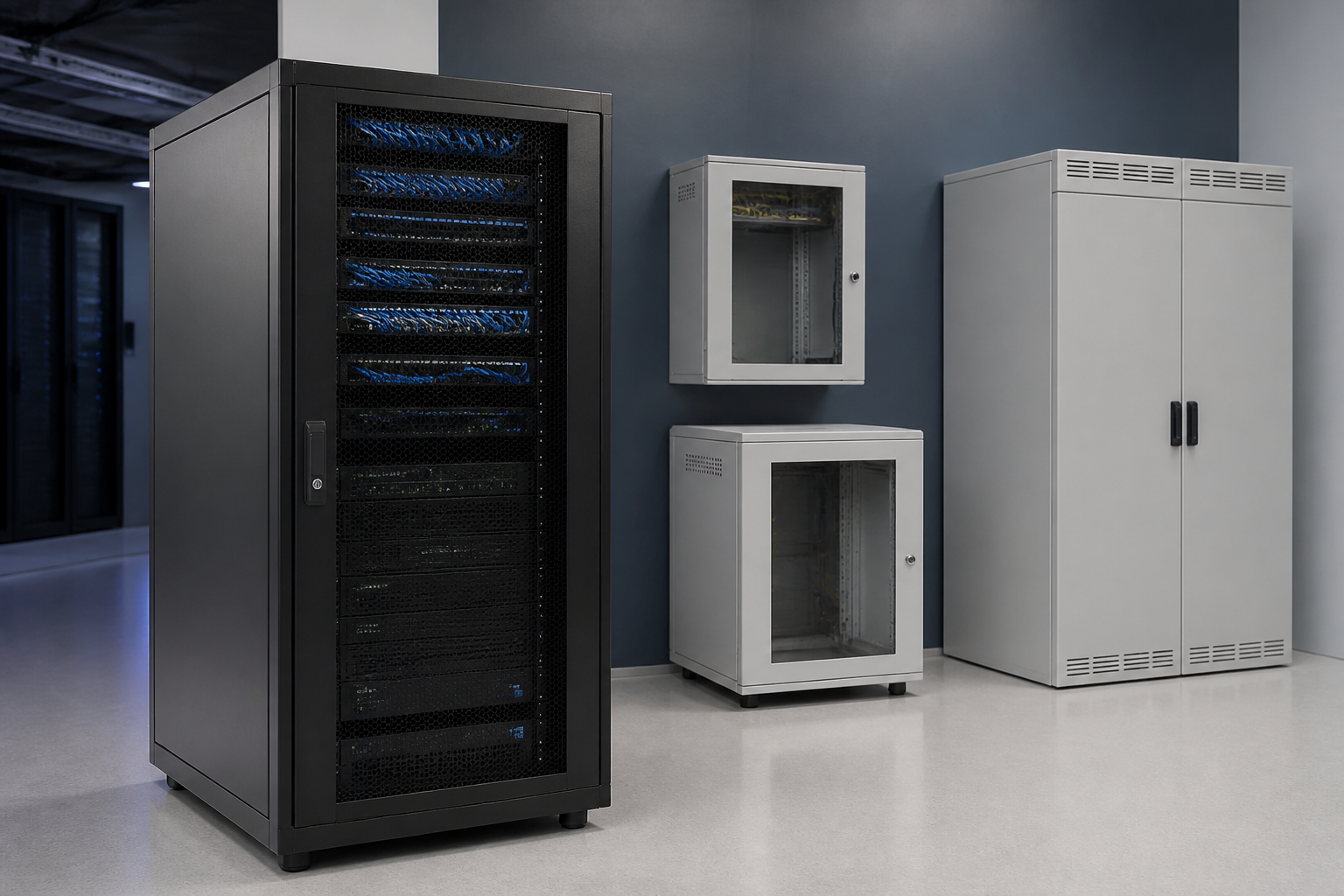
A rack cabinet is more than a container for servers or network hardware. It can organise equipment, protect connections, support cable management and help create a more controlled installation. However, a fully enclosed cabinet is not always the best answer. Depending on your equipment, room, access requirements and plans for expansion, an open-frame rack, wall-mounted cabinet or another enclosure may be more practical.
The right decision starts with understanding what each option is designed to do. This comparison explains the main differences and highlights when each setup makes sense.
Rack cabinet or an alternative: what should you compare?
Before choosing an enclosure, assess the installation rather than focusing only on the equipment you are buying today. Several factors influence the most suitable format:
- Equipment type: Determine whether you are housing servers, switches, patch panels, power equipment, storage hardware or a combination.
- Available space: Consider floor area, ceiling height, doorways, service clearances and whether the installation is in a dedicated room or a shared environment.
- Security and protection: Decide whether the equipment needs physical restriction, protection from accidental contact or a more controlled environment.
- Cooling and airflow: Think about the heat produced by the equipment and how air will move through the installation.
- Cable access: Allow for patching, power leads, structured cabling and future changes without creating unnecessary congestion.
- Maintenance: Technicians need safe, practical access to the front, rear and sides of the equipment where applicable.
- Growth: Leave suitable room for additional hardware, cable routing and changes to the network layout.
For a broader checklist covering dimensions, mounting and installation planning, see the rack cabinet buying guide.
When a rack cabinet is the best choice
A floor-standing rack cabinet is often the most versatile option for a structured equipment installation. It provides a defined enclosure for compatible rack-mounted hardware and can help keep equipment, cabling and power distribution in one organised location.
Choose a rack cabinet when protection and organisation matter
Enclosed cabinets make sense where equipment is installed in an accessible office, storeroom, workshop or shared technical area. Doors and side panels can help limit casual access and reduce exposure to dust, knocks or accidental interference. The cabinet also gives the installation a clear physical boundary, which can make future maintenance easier.
A cabinet is particularly useful when several equipment types need to be installed together. Servers, network switches, patch panels and related rack accessories can be arranged in a consistent vertical layout. This supports cleaner cable routing and makes it easier to identify where connections belong.
Choose a rack cabinet when the installation may grow
Floor-standing cabinets generally provide more room than compact wall-mounted options. That extra capacity can be valuable if the system will expand or if the installation includes equipment with different depths and service requirements. The key is to plan the usable height, depth and clearance rather than filling every available position immediately.
It is also important to check that the cabinet is suitable for the equipment being installed. Review the equipment dimensions, mounting method, cable entry points, power arrangement and ventilation requirements before ordering. Our guide to sizing a 19-inch rack can help structure that assessment.
When an open-frame rack makes more sense
An open-frame rack removes the doors and side panels found on an enclosed cabinet. This can provide straightforward access to equipment and cables from multiple directions, which is useful during installation, testing and frequent changes.
Use an open-frame rack for accessible technical areas
Open-frame designs can suit dedicated server rooms, communications rooms and other controlled areas where physical protection and appearance are less important than direct access. They may also be practical for temporary installations, testing environments or equipment that technicians need to reach regularly.
The open layout can make patching and inspection more convenient. It may also simplify access to equipment that is awkward to service inside a fully enclosed cabinet. However, the installation still needs a suitable location, organised cable routing and enough surrounding space for safe work.
Understand the trade-offs
An open-frame rack offers less protection from accidental contact, dust and unauthorised access. It may not be suitable for a public-facing office, a shared room or any area where equipment could be disturbed. It also provides less visual separation from surrounding cabling and hardware.
Choose this format because the environment supports it, not simply because the frame appears simpler. If the installation may later move into a shared or less controlled space, an enclosed cabinet could provide more flexibility.
When a wall-mounted network cabinet is the better option
A wall-mounted cabinet can be a strong choice for smaller network installations where floor space is limited. It is commonly considered for switches, patch panels, cable management and other compact network equipment that does not require the capacity of a larger floor-standing enclosure.
Use a wall-mounted cabinet to save floor space
Wall mounting can keep equipment above the floor and create a tidy installation in a small office, retail location, branch site or utility area. It can be particularly useful where there is no practical position for a full-size cabinet.
Before choosing this approach, confirm that the wall and mounting arrangement can support the completed installation. Consider the weight of the equipment, the cabinet itself, access for installation and the route for incoming and outgoing cables. The location should also allow technicians to open the cabinet and work safely.
Know when a wall-mounted enclosure is too limited
A wall-mounted cabinet may not provide enough capacity for servers, deeper equipment, extensive power hardware or a network that is expected to expand significantly. Equipment depth, rear access and ventilation also deserve close attention because the available working space can be more restricted than in a floor-standing cabinet.
If you are comparing compact enclosures for a small network, the network cabinet options guide offers further planning points.
When a non-rack enclosure or basic storage solution is appropriate
Not every installation needs a standard rack format. A small desktop network device, media converter or standalone control unit may be adequately placed on a shelf or inside a dedicated non-rack enclosure. This can make sense where there is little equipment, no rack-mount requirement and no expectation of significant expansion.
However, basic storage should not be treated as a substitute for a rack cabinet when the installation includes multiple rack-mounted devices, extensive patching or equipment that needs consistent airflow and cable management. Shelves and improvised storage can make connections harder to trace and may leave equipment vulnerable to movement, impact or poorly managed power leads.
If the system is likely to become more complex, adopting a compatible rack solution early can avoid a disruptive redesign later.
Rack cabinet decision guide by installation type
- Dedicated server or communications room: A floor-standing rack cabinet or open-frame rack may work well. Choose between them based on access, protection, airflow and the level of environmental control.
- Office or shared room: An enclosed rack cabinet is often more suitable because it creates a tidier and more protected installation.
- Small branch network: A wall-mounted network cabinet may provide enough capacity while preserving floor space.
- Frequent testing or equipment changes: An open-frame rack can provide convenient access if the room is controlled and secure.
- Single small device: A shelf or compact non-rack enclosure may be sufficient, provided the equipment is stable, ventilated and safely connected.
- Growing infrastructure: Select a cabinet or rack with enough usable capacity for planned expansion, not only the equipment currently on hand.
Questions to answer before you buy
- What equipment will be installed now, and what may be added later?
- Does every device fit the intended mounting format and available depth?
- How much vertical capacity is needed, including room for cable management?
- Can technicians access the equipment for installation and maintenance?
- Where will power cables, data cables and patch leads enter and exit?
- Does the location require doors, panels or another form of physical protection?
- Will the chosen layout support suitable airflow for the installed equipment?
- Can the floor, wall or supporting structure carry the completed installation?
These questions help prevent a common purchasing mistake: choosing an enclosure based only on external dimensions or current equipment. A good solution should support the way the system will be installed, maintained and expanded.
Make the right enclosure choice for your infrastructure
The best option depends on the balance between protection, access, capacity, space and future plans. A rack cabinet is a strong all-round choice for organised, expandable installations, while an open-frame rack can suit controlled technical areas where access is the priority. Wall-mounted cabinets are useful when floor space is limited, and basic enclosures may be enough for small, simple setups.
RADA Networks supplies server cabinets, network cabinets and 19-inch rack solutions for a range of infrastructure requirements. Explore RADA Networks to find a suitable starting point for your installation.
One thought on “Choosing a Rack Cabinet or Another Enclosure for Your Setup”
Comments are closed.